
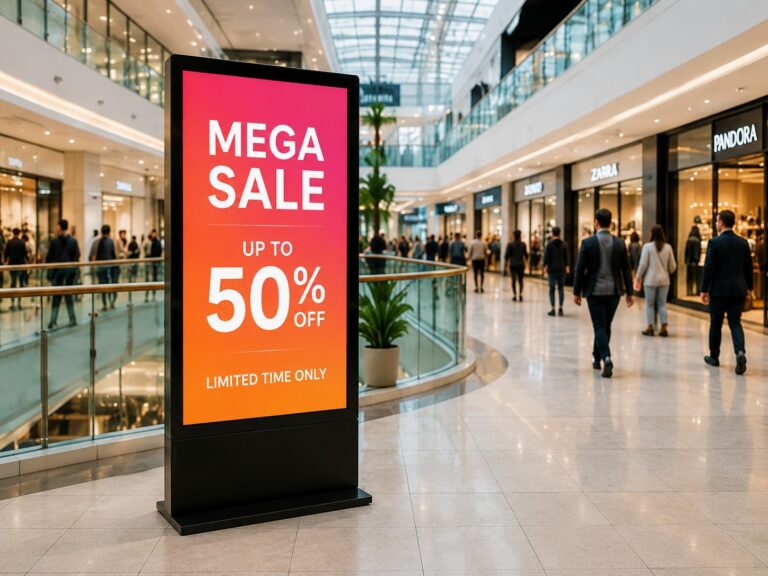
Many buyers compare IPS, LCD and LED as if they are three equal options, but this can lead to the wrong Commercial Display Panel choice. In real B2B projects, the better question is not “Which technology sounds better?” but “Which display fits the actual environment?” A screen used for an indoor digital signage monitor may need clear text, wide viewing angles and stable long-hour operation, while an outdoor advertising screen may require higher brightness, stronger structure and better environmental protection. Screen size, viewing distance, installation method, system compatibility and maintenance access all affect the final decision. This guide explains IPS vs LCD vs LED in a practical way, so buyers can choose a commercial display solution based on project needs, not just product labels.
What Is a Commercial Display Panel?
A Commercial Display Panel is a screen built for business and public display use. It is commonly used in digital signage, commercial monitors, interactive kiosks, menu boards, meeting room displays, and information screens.
You can think of it this way: a regular TV is mainly designed for home entertainment, while a commercial display screen is designed to work in real business environments where the screen may need to run for long hours, show clear information, support different installation methods, and connect with signage software, media players, or touch systems.
For example, a Commercial Display Panel may be used as:
- A shopping mall directory screen that helps visitors find stores
- A restaurant menu board that displays food photos, prices, and promotions
- A hotel lobby display that shows welcome messages, events, or service information
- An interactive kiosk screen for self-service check-in, ordering, or wayfinding
- A meeting room monitor for presentations and video conferences
- A retail digital signage monitor for advertising and brand promotion
The key difference is the usage environment. In a commercial project, the screen is not just “showing images.” It must help customers read information clearly, support daily operation, and fit the installation space. A display in a bright retail store may need higher brightness. A kiosk screen may need touch function and stronger glass. A meeting room display may need wide viewing angles so everyone can see the content clearly.
That is why B2B buyers should not choose a commercial LCD display only by screen size or resolution. They also need to check whether the display fits the real project needs, such as operating hours, brightness, viewing distance, installation method, content update method, touch requirements, and long-term maintenance.
In simple terms, a Commercial Display Panel is not just a screen. It is the visual core of a commercial display project. Choosing the right panel helps make the whole digital signage or commercial monitor solution more stable, readable, and suitable for long-term business use.
IPS vs LCD vs LED: What These Display Terms Really Mean
IPS vs LCD vs LED is often a confusing comparison because these terms do not describe the same part of a display. For B2B buyers, this is the first thing to understand: IPS, LCD, and LED are not always three competing screen types.
A simple way to understand it is:
- LCD describes the main display structure.
- IPS describes one type of LCD panel technology.
- LED can describe either the backlight behind an LCD screen or a completely different self-emitting LED display system.
So when a supplier says “IPS display,” “LCD display,” or “LED display,” buyers should first ask: are we talking about the panel technology, the backlight technology, or the whole display system?
IPS Is a Type of LCD Panel
IPS stands for In-Plane Switching. It is a type of LCD panel technology. In other words, IPS is not separate from LCD. It belongs to the LCD family.
A standard LCD display panel uses liquid crystals to control how light passes through the screen. IPS improves this structure by helping the screen keep more stable colors and wider viewing angles. That is why IPS commercial display products are often used in places where people view the screen from different positions.
For example, in a meeting room, people may sit on both sides of the table. In a shopping mall, visitors may look at a directory screen from different angles. In an interactive kiosk, users may stand slightly to the left or right of the screen. In these situations, IPS can help the image remain clearer and more consistent.
So the question is not really “Is IPS the same as LCD?”
The more accurate answer is: IPS is one type of LCD panel.
LED Can Mean Backlight or Direct-View LED
LED is where many buyers get confused.
In many monitors and commercial screens, LED refers to the LED backlight behind an LCD panel. The screen is still an LCD display, but it uses LED lights to illuminate the image. This is why you may see product names like IPS LED monitor or IPS LED display.
In that case, the product usually means:
IPS LCD panel + LED backlight
It does not mean IPS and LED are two separate options. A display can be both IPS and LED-backlit at the same time.
But in commercial display projects, LED can also mean Direct-view LED display. This is different from an LCD screen. A Direct-view LED display uses LED modules to create the image directly. It does not rely on an LCD panel behind the screen.
This type of LED display is commonly used for large video walls, outdoor advertising screens, stadium displays, building screens, and long-distance viewing environments. It is often selected when the project needs large size, high brightness, and strong visual impact.
So buyers need to separate two meanings:
| Term | What It Usually Means | Simple Explanation |
|---|---|---|
| LCD display panel | Liquid crystal display structure | The main screen technology used in many commercial displays |
| IPS panel | A type of LCD panel | Better viewing angle and more stable color performance |
| LED backlight | Light source behind an LCD screen | Helps illuminate the LCD image |
| Direct-view LED display | Self-emitting LED display system | LEDs create the image directly, often used for large or outdoor screens |
Why This Difference Matters for B2B Buyers
This distinction matters because different words lead to different purchasing decisions.
If a buyer asks, “Is IPS better than LED?” the question may be incomplete. An IPS commercial display may already use an LED backlight. So in many indoor commercial screens, IPS and LED are not competitors. They work together.
A better question is:
Do I need an IPS LCD commercial display, a standard LCD display, or a Direct-view LED display for this project?
For indoor digital signage monitors, menu boards, meeting displays, and kiosk screens, buyers often care about clear text, stable colors, viewing angle, touch function, and easy installation. In these cases, a commercial LCD screen with IPS panel technology may be practical.
For outdoor advertising, large-format video walls, building screens, and long-distance viewing, buyers may need a Direct-view LED display because the project requires stronger brightness, larger size, or more flexible screen structure.
This is why B2B buyers should not choose a Commercial Display Panel only by the label on the product name. The same word “LED” may mean different things in different product categories. Before comparing products, buyers should confirm what the supplier is actually describing: the panel, the backlight, or the full display system.
In simple terms:
- Choose IPS LCD when the project needs stable color, wide viewing angles, and close-range readability.
- Choose a standard commercial LCD display when the project needs a cost-effective indoor display solution.
- Choose Direct-view LED display when the project needs large size, high brightness, or long-distance visibility.
Once these terms are clear, it becomes much easier to compare commercial display types, match them to real usage scenarios, and prepare the right questions before requesting a quote.
Main Commercial Display Panel Types for B2B Projects
For B2B buyers, commercial display panel types can be understood by product form first, not only by technical terms. In real projects, a buyer may need a wall-mounted display for a shop, a floor-standing digital signage screen for a lobby, a kiosk screen for self-service, or a large LED video wall for public advertising. Each type has a different product structure and commercial purpose.
The table below gives a simple overview before we look at each type in more detail.
| Display Type | What It Means | Typical Product Form | Key Strength |
|---|---|---|---|
| IPS LCD Commercial Display | LCD display using IPS panel technology | Wall-mounted display, kiosk screen, meeting display | Wide viewing angle and stable color |
| Standard LCD Commercial Display | Commercial LCD screen for general business use | Menu board, information screen, advertising monitor | Mature, practical, and easy to deploy |
| LED-Backlit Commercial Monitor | LCD monitor using LED backlight | Commercial monitor, signage monitor, display terminal | Slim design and efficient brightness support |
| Direct-View LED Display | LED modules create the image directly | LED video wall, large advertising screen | Large size and strong visual impact |
| Touchscreen Commercial Display | Commercial display with touch function | Interactive kiosk, touch monitor, self-service screen | User interaction and self-service operation |
IPS LCD Commercial Displays
An IPS LCD commercial display uses IPS panel technology inside an LCD screen. Its main advantage is that the image stays clear and consistent when viewed from different angles. This makes it a common option for business spaces where several people may look at the screen from different positions.
Typical product forms include wall-mounted displays, meeting room screens, kiosk displays, and indoor signage monitors. For B2B buyers, IPS LCD products are often considered when readability, color stability, and a clean viewing experience are important.
Standard LCD Commercial Displays
A standard LCD commercial display is one of the most common choices for indoor business display projects. It is usually used for content such as menus, promotions, information pages, queue numbers, notices, and basic advertising.
Typical forms include digital signage monitors, restaurant menu boards, reception screens, and public information displays. Compared with more complex display systems, commercial LCD displays are usually easier to install, easier to manage, and suitable for standardized deployment across multiple locations.
LED-Backlit Commercial Monitors
An LED-backlit commercial monitor is still an LCD-based display, but it uses an LED backlight to illuminate the screen. This type is widely used because LED backlighting helps support slimmer screen design, stable brightness, and practical energy performance depending on the model.
In product listings, buyers may see terms such as “LED monitor,” “IPS LED display,” or “commercial LED-backlit monitor.” In many cases, these refer to LCD screens with LED backlighting, not a Direct-view LED wall. Typical forms include commercial monitors, signage screens, control room displays, and display terminals.
Direct-View LED Displays
A Direct-View LED display is different from a commercial LCD display. Instead of using an LCD panel, it uses LED modules to create the image directly. This type is commonly built into large-format display systems.
Typical product forms include LED video walls, large indoor advertising screens, outdoor digital billboards, stage screens, and building display systems. Its main strength is visual impact at large scale. Because it is usually project-based, buyers often need to consider structure, installation, control system, module quality, and maintenance access.
Touchscreen Commercial Display Panels
A touchscreen commercial display adds interactive function to the display panel. It allows users to tap, browse, select, order, check in, or search information directly on the screen.
Typical product forms include interactive kiosks, self-service terminals, touch monitors, wayfinding screens, and smart reception displays. For B2B buyers, the touchscreen is not just an extra feature. It changes how users interact with the whole system, so it is often connected with software, operating system, protective glass, and installation design.
In simple terms, these Commercial Display Panel types are not competing in the same way. Each one has its own product position. IPS LCD commercial displays focus on stable viewing quality, standard LCD commercial displays support common business display needs, LED-backlit commercial monitors are widely used in commercial screen products, Direct-View LED displays serve large-format visual projects, and touchscreen commercial displays support interactive use.
How to Match Display Panel Types to Different Commercial Scenarios
A commercial display panel should be selected by scenario first. The same screen may work well in a meeting room, but not necessarily in a restaurant, kiosk, or outdoor advertising project. For B2B buyers, the key is to match the display with the viewing distance, user behavior, installation space, and content purpose.
| Application Scenario | Better Display Choice | Why It Fits | Buyer Should Check |
|---|---|---|---|
| Retail digital signage | IPS LCD commercial display or standard commercial LCD | Supports product promotion, brand videos, and in-store information | Viewing angle, brightness, wall-mounted or floor-standing design |
| Restaurant menu board | Standard commercial LCD display | Suitable for food photos, prices, combos, and daily promotions | Screen size, readability, operating hours, content update method |
| Interactive kiosk | Touchscreen commercial display | Needed for self-service, check-in, ordering, payment, or wayfinding | Touch response, protective glass, system compatibility, kiosk structure |
| Meeting room monitor | IPS commercial display or commercial monitor panel | Suitable for presentations, video meetings, and shared viewing | Viewing angle, resolution, HDMI/USB/Type-C, wireless sharing |
| Hotel lobby display | Floor-standing or wall-mounted digital signage display | Good for welcome messages, events, guest guidance, and brand image | Appearance, installation style, remote content control |
| Transportation information screen | Commercial LCD or high-brightness display | Used for schedules, directions, alerts, and public information | Readability, ambient light, operating hours, safety installation |
| Outdoor advertising | Direct-view LED display or outdoor high-brightness signage | Better for large size, long-distance viewing, and stronger visibility | Outdoor protection, brightness, structure, maintenance access |
| Large LED video wall | Direct-view LED display | Suitable for seamless large screens and high-impact visual projects | Pixel pitch, viewing distance, control system, installation support |
For retail digital signage, the display is usually placed near shelves, entrances, checkout areas, or promotion zones. Buyers should focus on whether the screen can show product images, campaign messages, and brand content clearly from different customer positions. Wall-mounted and floor-standing forms are both common, depending on the store layout.
For a restaurant menu board, readability is more important than visual complexity. Customers need to see food names, prices, combos, and promotional items quickly. A practical screen layout, stable operation during business hours, and simple content updates are usually more important than advanced display effects.
For an interactive kiosk, the display is part of the user operation process. People may touch the screen to order food, check in, search information, register as visitors, or find directions. In this case, the buyer should check whether the display supports smooth interaction, whether the glass is suitable for public use, and whether the screen can fit the kiosk enclosure.
For a meeting room monitor, the screen needs to support shared viewing. People may sit at different angles around a table, so text clarity and viewing consistency matter. Buyers should also check connection options such as HDMI, USB, Type-C, or wireless sharing, because these affect daily meeting efficiency.
For a hotel lobby display, the screen often becomes part of the space design. It may show welcome messages, event schedules, room service information, or brand videos. Buyers should consider whether the display form matches the lobby style, whether it can be updated remotely, and whether the installation looks clean and professional.
For transportation information screens, the main goal is fast information delivery. Passengers may only have a few seconds to read schedules, alerts, gates, directions, or service notices. The display should remain readable under changing light conditions and support stable long-hour operation.
For outdoor advertising and large public screens, the display usually needs stronger visibility and a larger format. These projects often require more attention to outdoor protection, screen structure, installation safety, heat control, and maintenance access. The selection should be based on viewing distance and environmental conditions, not only screen size.
In short, different Digital Signage & Monitors projects need different display choices. A menu board, kiosk screen, meeting room monitor, hotel display, and outdoor advertising screen should not be selected by the same standard. For customized indoor signage, kiosk, or commercial monitor panel projects, buyers can prepare screen size, installation environment, content type, and system requirements before requesting a quote.
What B2B Buyers Should Check Before Choosing a Commercial Display Panel
After matching the display type to the project scenario, B2B buyers should turn the idea into clear technical requirements. Before asking for a quote, it is better to prepare a simple checklist. This helps the supplier understand whether the project needs an indoor digital signage monitor, a commercial LCD display, a touch screen, or an outdoor display solution.
The table below shows the key commercial display panel specifications buyers should confirm before ordering.
| Specification | Why It Matters | What Buyers Should Confirm |
|---|---|---|
| Screen size | Affects viewing distance, installation space, and user experience | Required size, installation position, viewing distance |
| Resolution | Determines image clarity, text readability, and content quality | Full HD, 4K, or other resolution requirements |
| Brightness | Affects visibility under different lighting conditions | Indoor, semi-outdoor, or outdoor brightness needs |
| Viewing angle | Important when people view the screen from different positions | Whether wide viewing angle is required |
| Operation hours | Commercial screens may need to run for long periods | Daily usage time, continuous operation needs |
| Touch function | Required for kiosks and interactive applications | Touch type, response accuracy, glass protection |
| OS / media player / CMS compatibility | Affects content playback and remote management | Android, Windows, external media player, or CMS needs |
| Ports and connectivity | Determines how the screen connects with devices and systems | HDMI, USB, Type-C, LAN, WiFi, or other ports |
| Installation method | Affects structure, layout, and project cost | Wall-mounted, floor-standing, embedded, or kiosk-mounted |
| Anti-glare glass | Improves readability in bright indoor or public spaces | Whether anti-glare or protective glass is needed |
| Heat dissipation | Important for long-hour operation and enclosed installation | Ventilation design, operating environment, enclosure structure |
| IP rating for outdoor use | Needed when the display is exposed to dust, rain, or outdoor conditions | Indoor, semi-outdoor, IP65, IP66, or other protection needs |
| Custom logo / packaging | Important for distributors, brands, and OEM projects | Logo placement, boot logo, packaging, label requirements |
For most B2B commercial display buying guide decisions, screen size is the first item to confirm. A small screen may be suitable for a kiosk or countertop display, while a larger screen may be needed for a lobby, meeting room, or advertising project. Buyers should not choose size only by budget. They should also consider viewing distance, wall space, user position, and content layout.
Resolution is another basic but important factor. If the screen mainly shows videos or product images, higher resolution may improve visual quality. If the screen displays menus, schedules, numbers, or wayfinding information, text clarity becomes more important. Buyers should confirm whether Full HD, 4K, or another resolution is suitable for the project.
Brightness should match the installation environment. An indoor menu board does not need the same brightness as a storefront or outdoor advertising display. For a restaurant menu board, buyers may focus on readability, color clarity, and long business-hour operation. For an outdoor advertising display, buyers should pay more attention to brightness, outdoor protection, heat dissipation, and installation structure.
For public-use screens, viewing angle and operation hours should also be checked carefully. A display in a shopping mall, hotel lobby, or meeting room may be viewed from different directions. A screen in a retail store, restaurant, or transport area may need to work for many hours every day. These details affect the choice of panel, backlight, structure, and cooling design.
If the project requires user interaction, touch function becomes a key specification. A screen for an interactive kiosk may need accurate touch response, stronger cover glass, and compatibility with software or a self-service system. Buyers should also confirm whether the display will be used for ordering, check-in, wayfinding, payment, or information search, because each use may require different hardware design.
System compatibility is also important. Some projects use built-in Android systems, some require Windows, and some use an external media player or content management software. Before ordering, buyers should confirm the required OS, player method, network connection, and whether remote content updates are needed.
Installation details should not be ignored. A commercial display panel may be wall-mounted, floor-standing, embedded into a kiosk, installed in a cabinet, or used as part of a custom structure. The installation method can affect heat dissipation, cable layout, maintenance access, and appearance.
For outdoor or semi-outdoor projects, buyers should also confirm IP rating, protective glass, sealing design, and heat control. These factors are especially important for outdoor digital signage monitor specs, where dust, rain, sunlight, and temperature changes may affect long-term performance.
Before requesting a quote, buyers should prepare the basic project information: application scenario, screen size, quantity, installation environment, operating hours, touch requirement, system requirement, and customization needs. The more clearly these details are provided, the easier it is for the supplier to recommend a suitable Commercial Display Panel configuration.
How Display Panel Choices Affect Total Project Cost and Maintenance
A commercial display panel should not be evaluated only by its unit price. In B2B projects, the real cost is often shaped by how the screen is installed, how often it runs, how content is updated, and how easy it is to maintain after deployment.
This is why two screens with similar sizes may lead to very different project costs. One may be a simple indoor display used as a menu board. Another may be part of a public-facing signage system that runs every day, connects with a CMS, uses a custom enclosure, or needs protection from heat, dust, or user interaction. The purchase price is only one part of the decision.
For buyers, the more useful question is not “Which display is cheaper?” but:
Which display will be easier to install, operate, update, and maintain over time?
Several hidden costs may appear after the first purchase:
| Cost Area | What It Means for Buyers |
|---|---|
| Installation cost | A wall-mounted screen, kiosk-mounted display, floor-standing unit, or outdoor structure may require different brackets, wiring, labor, and space planning. |
| Content management cost | If the project has many screens, manual content updates can become inefficient. A CMS or media player setup may reduce daily management pressure. |
| Maintenance cost | Screens installed in public spaces, kiosks, or outdoor areas may need easier access for cleaning, repair, part replacement, or system checks. |
| Downtime risk | If a screen fails in a restaurant, hotel, retail store, or transport area, it may affect customer communication and business operation. |
| Upgrade cost | A display system with limited ports, weak software compatibility, or poor structure may be harder to upgrade later. |
| Shipping and handling cost | Larger displays, protective packaging, custom structures, and multi-location delivery can increase logistics complexity. |
For a single indoor digital signage monitor, the long-term cost may be mainly related to content updates, operating hours, and basic maintenance. If the screen is easy to install and the content is simple, the project can stay relatively straightforward.
For an interactive kiosk, the cost picture is different. The display is part of the user operation flow, so touch reliability, front glass protection, software connection, and maintenance access become more important. If the screen is difficult to service after it is built into the kiosk, future maintenance may become more expensive.
For outdoor or public-facing display projects, hidden costs can become even more important. The screen may need stronger structural support, better heat control, weather protection, safe installation, and convenient service access. A lower initial price may not help if the display is difficult to maintain or unsuitable for the environment.
This is why display panel maintenance should be considered before ordering, not after installation. Buyers should ask how the screen will be accessed, how content will be updated, whether spare parts are easy to replace, and whether the display design fits the operating environment.
In simple terms, the best choice is not always the lowest-cost screen. It is the display solution that fits the full project: purchase, installation, operation, update, maintenance, and future expansion.
Before requesting a quote, buyers should share the project environment, expected daily operation, content update method, installation form, and budget range. This helps the supplier recommend a solution that fits both the first purchase and the long-term digital signage project cost.
How to Choose a Commercial Display Panel Supplier
Choosing the right commercial display panel supplier can reduce many project risks. For overseas B2B buyers, the supplier is not only providing a screen. A good supplier should also understand product matching, installation requirements, customization needs, system compatibility, packaging, and after-sales communication. Before making a larger commercial display investment, understanding a Digital signage supply chain guide can help buyers evaluate supplier capabilities, production processes, customization support, and long-term project reliability.
The main risk is choosing a supplier who only offers a low quotation but cannot support the full project. A display may look suitable in a product photo, but problems can appear later if the supplier does not understand commercial use, touch integration, outdoor installation, or OEM requirements.
Before choosing a commercial display manufacturer or supplier, buyers can use the checklist below.
| What to Check | Why It Matters | Questions to Ask |
|---|---|---|
| Supplier type | Manufacturers, trading companies, and integrators may offer different levels of support | Are you a manufacturer, trading company, or system integrator? |
| Product range | A wider product range makes it easier to match different projects | Do you provide commercial LCD displays, digital signage, touch displays, or kiosk screens? |
| Indoor and outdoor options | Different environments need different product structures | Can you support indoor, semi-outdoor, or outdoor display projects? |
| Customization ability | B2B projects may require brand, structure, system, or packaging changes | Can you support OEM or ODM customization? |
| Touch and interaction support | Kiosks and self-service projects need more than a basic screen | Can the display support touch function and system integration? |
| Software and player compatibility | Content playback and remote updates affect daily operation | Can the screen work with Android, Windows, media players, or CMS platforms? |
| Sample confirmation | Samples help buyers check appearance, function, and configuration before bulk orders | Can we confirm a sample before mass production? |
| Packaging support | Export projects need safe packaging and brand presentation | Can you support neutral packaging or branded packaging? |
| Technical communication | Clear communication reduces mistakes before production | Can your team help review project requirements before quotation? |
| After-sales support | Long-term projects need response and support after delivery | What support is available if technical issues appear? |
Buyers should first clarify whether they need a manufacturer, trading company, or integrator. A digital signage manufacturer may be more suitable when the project requires product customization, private label support, or long-term supply. A trading company may offer flexible sourcing, while an integrator may be useful for local installation or system deployment. The right choice depends on the buyer’s role and project needs.
Product range is also important. If a buyer handles different projects, the supplier should understand more than one product form, such as wall-mounted commercial displays, floor-standing digital signage, interactive kiosk screens, touch monitors, and outdoor display solutions. This makes future project communication easier.
For OEM or distributor projects, customization ability is a key point. Buyers may need custom logo placement, boot logo, system interface, packaging, accessories, or product appearance adjustments. These details should be discussed before ordering, not after production starts.
For interactive projects, the supplier should also understand touch display requirements. A basic screen supplier may not be enough for an interactive kiosk, self-service terminal, or smart reception display. Buyers should confirm whether the display can work with the required software, operating system, enclosure design, and user interaction flow.
Before requesting a quote, buyers should prepare basic information such as screen size, quantity, installation environment, touch requirement, brightness level, system requirement, logo needs, and packaging needs. These details help the supplier recommend a more suitable OEM commercial display solution.
For commercial display, digital signage, interactive kiosk, or portable smart display projects, Ikinor can support OEM/ODM discussion based on your project requirements. The goal is not only to choose a screen, but to choose a supplier who can help the display fit the real business project.
Choose the Panel Based on the Project, Not the Label
The best Commercial Display Panel is not decided by the label alone. As a trusted multimedia board manufacturer, Ikinor provides a full range of commercial display solutions designed for different business environments and installation scenarios. IPS, LCD, and LED can describe different parts of a display, so buyers should first look at the real project: where the screen will be installed, how far people will view it, what content it will show, and how long it needs to operate each day.
For indoor close-viewing projects, such as menu boards, meeting rooms, kiosks, reception screens, and retail digital signage display projects, an IPS LCD display or commercial LCD screen is often a practical choice. These projects usually need clear text, stable colors, wide viewing angles, and easier installation.
For large outdoor advertising, building screens, event displays, or long-distance public viewing, a Direct-view LED display may be more suitable because the project often requires larger size, stronger visibility, and a more flexible display structure.
In short, do not ask only “Is IPS, LCD, or LED better?” A better question is: Which display panel fits my application, environment, viewing distance, installation method, system needs, and long-term operation plan?
Before ordering, B2B buyers should confirm the screen size, brightness, resolution, touch needs, system compatibility, installation method, and maintenance expectations. If you are planning a commercial display, digital signage, or interactive screen project, share your project details with the supplier to get a more suitable configuration recommendation.
FAQs
A Commercial Display Panel is a display screen or display component designed for business and public environments. It is commonly used in digital signage, commercial monitors, interactive kiosks, menu boards, meeting rooms, and information displays. Compared with a regular TV, it is usually selected based on operating time, installation method, brightness, content update needs, and long-term project stability.
IPS is not separate from LCD. IPS is one type of LCD panel technology. It is often chosen when buyers need wider viewing angles and more stable color performance. A standard LCD display may still be suitable for many commercial projects, but an IPS LCD display is usually more useful when people view the screen from different positions, such as in meeting rooms, kiosks, or retail spaces.
This question depends on what “LED” means. If LED refers to LED backlight, then IPS and LED are not competitors. Many IPS screens already use LED backlighting. If LED refers to Direct-view LED display, then it is a different display system. IPS LCD is often practical for indoor close viewing, while Direct-view LED is usually better for large screens, outdoor advertising, and long-distance visibility.
In many digital signage monitor products, LCD refers to the screen structure, while LED may refer to the backlight behind the LCD panel. However, in large signage projects, LED may also mean Direct-view LED, where LED modules create the image directly. LCD digital signage is often used for indoor commercial screens, while LED signage is often used for large-format or outdoor display projects.
For outdoor advertising, a Direct-view LED display or outdoor high-brightness signage solution is often more suitable. Outdoor projects usually need stronger visibility, larger screen size, weather protection, heat control, and long-distance readability. Buyers should not only compare screen size, but also check installation structure, maintenance access, environmental protection, and viewing distance before ordering.
Yes, many commercial display panels can support touch function, depending on the product design and project requirements. Touchscreen displays are commonly used in interactive kiosks, self-service terminals, wayfinding screens, smart reception displays, and ordering systems. Buyers should confirm touch technology, glass protection, operating system compatibility, and whether the display can work with the required software or kiosk structure.
Before ordering a Commercial Display Panel, B2B buyers should confirm screen size, resolution, brightness, viewing distance, installation method, touch needs, operating system, media player or CMS compatibility, ports, operating hours, and customization requirements. For outdoor projects, buyers should also check protection level, heat dissipation, anti-glare design, and maintenance access. Clear project information helps suppliers recommend a more suitable configuration.



 English
  Spanish
  Arabic
  French
  Indonesian
  German
  Portuguese
  Russian
  Vietnamese
  Thai
Thai  Italian