
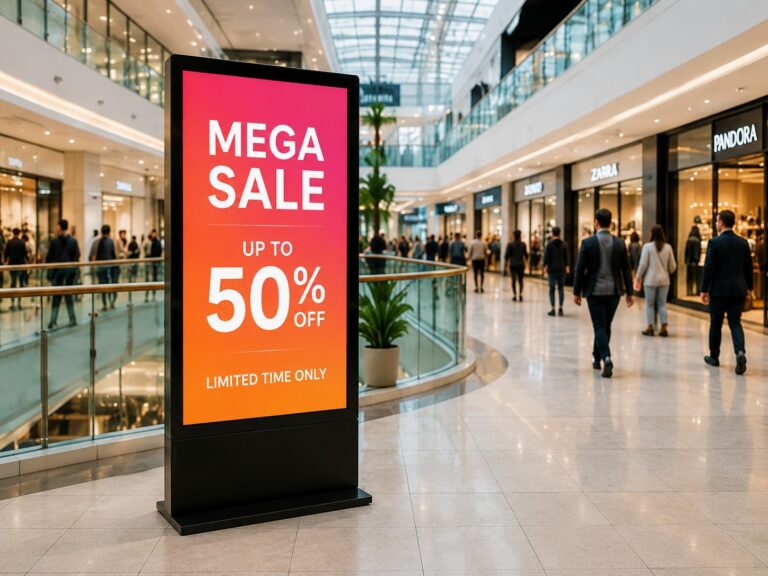
ผู้ซื้อจำนวนมากเปรียบเทียบ IPS, LCD และ LED ราวกับว่ามีตัวเลือกที่เท่าเทียมกันสามตัวเลือก แต่สิ่งนี้อาจนำไปสู่ความเข้าใจผิดได้ แผงแสดงผลเชิงพาณิชย์ ในโครงการ B2B จริงๆ คำถามที่ดีกว่าไม่ใช่ “เทคโนโลยีไหนฟังดูดีกว่า?” แต่เป็น “จอแสดงผลแบบไหนเหมาะกับสภาพแวดล้อมจริง?” เช่น จอที่ใช้ภายในอาคาร จอภาพป้ายดิจิทัล อาจต้องการข้อความที่คมชัด มุมมองกว้าง และการทำงานที่เสถียรยาวนาน ในขณะที่จอโฆษณากลางแจ้งอาจต้องการความสว่างสูงกว่า โครงสร้างแข็งแรงกว่า และการปกป้องสิ่งแวดล้อมที่ดีกว่า ขนาดหน้าจอ ระยะการรับชม วิธีการติดตั้ง ความเข้ากันได้ของระบบ และการเข้าถึงการบำรุงรักษา ล้วนมีผลต่อการตัดสินใจขั้นสุดท้าย คู่มือนี้จะอธิบายรายละเอียดเพิ่มเติม IPS เทียบกับ LCD เทียบกับ LED ในทางปฏิบัติ ผู้ซื้อจึงสามารถเลือกโซลูชันการแสดงสินค้าเชิงพาณิชย์ตามความต้องการของโครงการ ไม่ใช่แค่ฉลากผลิตภัณฑ์เท่านั้น
แผงแสดงผลเชิงพาณิชย์คืออะไร?
เอ แผงแสดงผลเชิงพาณิชย์ เป็นจอภาพที่สร้างขึ้นเพื่อใช้ในการแสดงผลทางธุรกิจและสาธารณะ โดยทั่วไปจะใช้ใน ป้ายดิจิทัล, จอภาพเชิงพาณิชย์, ตู้คีออสก์แบบอินเทอร์แอ็กทีฟ, ป้ายเมนู, การจัดแสดงในห้องประชุม, และ หน้าจอแสดงข้อมูล.
คุณอาจคิดแบบนี้ก็ได้: ทีวีทั่วไปออกแบบมาเพื่อความบันเทิงภายในบ้านเป็นหลัก ในขณะที่... จอแสดงผลเชิงพาณิชย์ ได้รับการออกแบบมาให้ใช้งานได้ในสภาพแวดล้อมทางธุรกิจจริง ซึ่งหน้าจออาจต้องทำงานต่อเนื่องเป็นเวลานาน แสดงข้อมูลได้อย่างชัดเจน รองรับวิธีการติดตั้งที่หลากหลาย และเชื่อมต่อกับซอฟต์แวร์ป้ายโฆษณา เครื่องเล่นมีเดีย หรือระบบสัมผัส
ตัวอย่างเช่น แผงแสดงผลเชิงพาณิชย์ อาจใช้ได้ดังนี้:
- เอ หน้าจอแสดงรายชื่อห้างสรรพสินค้า ซึ่งช่วยให้นักท่องเที่ยวค้นหาร้านค้าได้
- เอ ป้ายเมนูอาหารของร้านอาหาร ซึ่งแสดงรูปภาพอาหาร ราคา และโปรโมชั่น
- เอ การจัดแสดงในล็อบบี้โรงแรม ที่แสดงข้อความต้อนรับ กิจกรรม หรือข้อมูลบริการ
- หนึ่ง หน้าจอคีออสก์แบบโต้ตอบ สำหรับการเช็คอิน สั่งอาหาร หรือค้นหาเส้นทางด้วยตนเอง
- เอ จอภาพห้องประชุม สำหรับการนำเสนอและการประชุมทางวิดีโอ
- เอ จอภาพป้ายดิจิทัลสำหรับร้านค้าปลีก เพื่อการโฆษณาและการส่งเสริมแบรนด์
ความแตกต่างที่สำคัญคือสภาพแวดล้อมการใช้งาน ในโครงการเชิงพาณิชย์ หน้าจอไม่ได้เป็นเพียงแค่ "การแสดงภาพ" เท่านั้น แต่ต้องช่วยให้ลูกค้าอ่านข้อมูลได้อย่างชัดเจน รองรับการใช้งานประจำวัน และเหมาะสมกับพื้นที่ติดตั้ง จอแสดงผลในร้านค้าปลีกที่มีแสงสว่างมากอาจต้องการความสว่างสูงกว่า ในขณะที่หน้าจอสำหรับตู้คีออสก์อาจต้องการความสว่างน้อยกว่า ฟังก์ชันสัมผัส และกระจกที่แข็งแรงกว่า จอแสดงผลในห้องประชุมอาจต้องการมุมมองที่กว้างเพื่อให้ทุกคนสามารถมองเห็นเนื้อหาได้อย่างชัดเจน
นั่นคือเหตุผลที่ผู้ซื้อ B2B ไม่ควรเลือก จอแสดงผล LCD เชิงพาณิชย์ อย่าพิจารณาแค่ขนาดหน้าจอหรือความละเอียดเพียงอย่างเดียว พวกเขายังต้องตรวจสอบด้วยว่าจอแสดงผลนั้นเหมาะสมกับความต้องการที่แท้จริงของโครงการหรือไม่ เช่น เวลาใช้งาน ความสว่าง ระยะการรับชม วิธีการติดตั้ง วิธีการอัปเดตเนื้อหา ข้อกำหนดด้านการสัมผัส และการบำรุงรักษาในระยะยาว
กล่าวโดยง่ายคือ แผงแสดงผลเชิงพาณิชย์ จอภาพไม่ใช่แค่หน้าจอธรรมดา แต่เป็นหัวใจสำคัญทางด้านภาพของโครงการแสดงผลเชิงพาณิชย์ การเลือกจอภาพที่เหมาะสมจะช่วยให้ภาพรวมทั้งหมดสมบูรณ์ยิ่งขึ้น ป้ายดิจิทัล หรือ จอภาพเชิงพาณิชย์ โซลูชันนี้มีความเสถียร อ่านง่าย และเหมาะสมสำหรับการใช้งานทางธุรกิจในระยะยาว
IPS เทียบกับ LCD เทียบกับ LED: คำศัพท์เกี่ยวกับจอแสดงผลเหล่านี้หมายความว่าอย่างไรกันแน่
IPS เทียบกับ LCD เทียบกับ LED การเปรียบเทียบนี้มักสร้างความสับสน เพราะคำศัพท์เหล่านี้ไม่ได้อธิบายส่วนเดียวกันของจอแสดงผล สำหรับผู้ซื้อแบบ B2B นี่คือสิ่งแรกที่ต้องทำความเข้าใจ: ไอเอสพี, จอ LCD, และ นำ ไม่ใช่ว่าจะมีหน้าจอสามประเภทที่แข่งขันกันเสมอไป
วิธีง่ายๆ ที่จะเข้าใจเรื่องนี้คือ:
- จอ LCD อธิบายโครงสร้างการแสดงผลหลัก
- ไอเอสพี อธิบายถึงเทคโนโลยีแผง LCD ประเภทหนึ่ง
- นำ อาจหมายถึงทั้งแสงไฟด้านหลังจอ LCD หรือระบบแสดงผล LED ที่เปล่งแสงได้เองซึ่งแตกต่างออกไปโดยสิ้นเชิง
ดังนั้นเมื่อผู้จำหน่ายกล่าวว่า “จอแสดงผล IPS” “จอแสดงผล LCD” หรือ “จอแสดงผล LED” ผู้ซื้อควรตั้งคำถามก่อนว่า เรากำลังพูดถึงจอแสดงผลแบบใด เทคโนโลยีแผงควบคุม, เทคโนโลยีแบ็คไลท์หรือทั้งหมด ระบบแสดงผล?
IPS คือแผง LCD ชนิดหนึ่ง
ไอเอสพี ย่อมาจาก การสลับระนาบภายในมันเป็นประเภทหนึ่งของ แผง LCD กล่าวอีกนัยหนึ่ง IPS ไม่ได้แยกออกจาก LCD แต่เป็นส่วนหนึ่งของตระกูล LCD
มาตรฐาน แผงจอแสดงผล LCD ใช้ผลึกเหลวในการควบคุมการผ่านของแสงบนหน้าจอ IPS ปรับปรุงโครงสร้างนี้โดยช่วยให้หน้าจอรักษาสีสันได้คงที่มากขึ้นและมีมุมมองที่กว้างขึ้น นั่นคือเหตุผลว่าทำไม จอแสดงผลเชิงพาณิชย์ IPS ผลิตภัณฑ์เหล่านี้มักถูกนำไปใช้ในสถานที่ที่ผู้คนมองหน้าจอจากหลายมุมมอง
ตัวอย่างเช่น ในห้องประชุม ผู้คนอาจนั่งคนละฝั่งของโต๊ะ ในห้างสรรพสินค้า ผู้เยี่ยมชมอาจดูหน้าจอแสดงรายชื่อสถานที่จากมุมต่างๆ กัน ใน ตู้คีออสก์แบบอินเทอร์แอ็กทีฟผู้ใช้อาจยืนเอียงไปทางซ้ายหรือขวาของหน้าจอเล็กน้อย ในสถานการณ์เช่นนี้ จอ IPS จะช่วยให้ภาพคมชัดและสม่ำเสมอยิ่งขึ้น
ดังนั้นคำถามที่แท้จริงจึงไม่ใช่ "IPS เหมือนกับ LCD หรือไม่?"
คำตอบที่ถูกต้องกว่าคือ: IPS คือแผง LCD ประเภทหนึ่ง
LED อาจหมายถึงไฟแบ็คไลท์หรือไฟ LED ส่องสว่างโดยตรง
นำ นี่คือจุดที่ผู้ซื้อหลายคนสับสน
ในจอภาพและจอแสดงผลเชิงพาณิชย์หลายรุ่น นำ หมายถึง แสงไฟ LED ด้านหลัง อยู่ด้านหลังแผง LCD หน้าจอยังคงเป็นจอ LCD แต่ใช้ไฟ LED ในการส่องสว่างภาพ นี่คือเหตุผลที่คุณอาจเห็นชื่อผลิตภัณฑ์เช่นนี้ จอภาพ IPS LED หรือ จอแสดงผล IPS LED.
ในกรณีนั้น ผลิตภัณฑ์ดังกล่าวโดยทั่วไปหมายถึง:
แผงจอ IPS LCD + ไฟแบ็คไลท์ LED
นั่นไม่ได้หมายความว่า IPS และ LED เป็นตัวเลือกที่แตกต่างกันสองแบบ จอแสดงผลสามารถเป็นได้ทั้งสองอย่าง ไอเอสพี และ ไฟแบ็คไลท์ LED ในเวลาเดียวกัน
แต่ในโครงการจัดแสดงสินค้าเชิงพาณิชย์นั้น นำ อาจหมายความว่า จอแสดงผล LED แบบดูโดยตรงนี่แตกต่างจากหน้าจอ LCD จอแสดงผล LED แบบดูโดยตรง ใช้โมดูล LED ในการสร้างภาพโดยตรง ไม่ต้องพึ่งพาแผง LCD ที่อยู่ด้านหลังจอภาพ
จอแสดงผล LED ประเภทนี้มักใช้สำหรับจอวิดีโอขนาดใหญ่ จอโฆษณากลางแจ้ง จอแสดงผลในสนามกีฬา จอแสดงผลในอาคาร และสภาพแวดล้อมการรับชมระยะไกล มักถูกเลือกใช้เมื่อโครงการต้องการขนาดใหญ่ ความสว่างสูง และผลกระทบทางสายตาที่ทรงพลัง
ดังนั้นผู้ซื้อจึงจำเป็นต้องแยกแยะความหมายสองประการนี้ออกจากกัน:
| ภาคเรียน | โดยปกติแล้วมันหมายความว่าอย่างไร | คำอธิบายอย่างง่าย |
|---|---|---|
| แผงจอแสดงผล LCD | โครงสร้างจอแสดงผลคริสตัลเหลว | เทคโนโลยีหน้าจอหลักที่ใช้ในจอแสดงผลเชิงพาณิชย์จำนวนมาก |
| แผง IPS | แผง LCD ชนิดหนึ่ง | มุมมองภาพที่ดีขึ้นและประสิทธิภาพสีที่เสถียรยิ่งขึ้น |
| แสงไฟ LED ด้านหลัง | แหล่งกำเนิดแสงอยู่ด้านหลังจอ LCD | ช่วยให้ภาพบนจอ LCD สว่างขึ้น |
| จอแสดงผล LED แบบดูโดยตรง | ระบบจอแสดงผล LED ที่เปล่งแสงได้เอง | จอ LED สร้างภาพโดยตรง มักใช้กับจอขนาดใหญ่หรือจอกลางแจ้ง |
เหตุใดความแตกต่างนี้จึงมีความสำคัญสำหรับผู้ซื้อ B2B
ความแตกต่างนี้มีความสำคัญ เพราะคำที่แตกต่างกันนำไปสู่การตัดสินใจซื้อที่แตกต่างกัน
หากผู้ซื้อถามว่า “ใช่หรือไม่” ไอเอสพี ดีกว่า นำคำถามอาจจะไม่สมบูรณ์ก็ได้ จอแสดงผลเชิงพาณิชย์ IPS อาจใช้งานอยู่แล้ว แสงไฟ LED ด้านหลังดังนั้น ในจอแสดงผลเชิงพาณิชย์ภายในอาคารหลายแห่ง IPS และ LED จึงไม่ใช่คู่แข่งกัน แต่ทำงานร่วมกัน
คำถามที่ดีกว่าคือ:
สำหรับโปรเจ็กต์นี้ ฉันจำเป็นต้องใช้จอแสดงผล IPS LCD สำหรับงานเชิงพาณิชย์, จอ LCD มาตรฐาน หรือจอ LED แบบ Direct-view กันแน่?
สำหรับใช้ภายในอาคาร จอภาพป้ายดิจิทัลไม่ว่าจะเป็นป้ายเมนู จอแสดงผลในห้องประชุม หรือจอคีออสก์ ผู้ซื้อส่วนใหญ่มักให้ความสำคัญกับข้อความที่คมชัด สีสันที่คงที่ มุมมองการรับชม ฟังก์ชันสัมผัส และการติดตั้งที่ง่าย ในกรณีเหล่านี้ จอ LCD เชิงพาณิชย์ที่มีเทคโนโลยีแผง IPS อาจเป็นทางเลือกที่เหมาะสม
สำหรับการโฆษณากลางแจ้ง จอวิดีโอขนาดใหญ่ จอฉายภาพบนอาคาร และการรับชมจากระยะไกล ผู้ซื้ออาจต้องการ... จอแสดงผล LED แบบดูโดยตรง เนื่องจากโครงการนี้ต้องการความสว่างที่มากกว่า ขนาดที่ใหญ่กว่า หรือโครงสร้างหน้าจอที่ยืดหยุ่นกว่า
นี่คือเหตุผลว่าทำไมผู้ซื้อ B2B ไม่ควรเลือก แผงแสดงผลเชิงพาณิชย์ ดูได้จากฉลากบนชื่อผลิตภัณฑ์เท่านั้น คำว่า “LED” คำเดียวกันอาจหมายถึงสิ่งต่างๆ กันในผลิตภัณฑ์ประเภทต่างๆ ก่อนเปรียบเทียบผลิตภัณฑ์ ผู้ซื้อควรตรวจสอบให้แน่ใจว่าผู้ขายกำลังอธิบายถึงอะไรกันแน่: แผงหน้าจอ ไฟแบ็คไลท์ หรือระบบแสดงผลทั้งหมด
กล่าวโดยสรุป:
- เลือก จอ IPS LCD เมื่อโครงการต้องการสีที่คงที่ มุมมองที่กว้าง และความสามารถในการอ่านในระยะใกล้
- เลือกมาตรฐาน จอแสดงผล LCD เชิงพาณิชย์ เมื่อโครงการต้องการโซลูชันจอแสดงผลภายในอาคารที่คุ้มค่า
- เลือก จอแสดงผล LED แบบดูโดยตรง เมื่อโครงการต้องการขนาดใหญ่ ความสว่างสูง หรือการมองเห็นในระยะไกล
เมื่อเข้าใจเงื่อนไขเหล่านี้แล้ว การเปรียบเทียบประเภทของจอแสดงผลเชิงพาณิชย์ การจับคู่กับสถานการณ์การใช้งานจริง และการเตรียมคำถามที่ถูกต้องก่อนขอใบเสนอราคา ก็จะง่ายขึ้นมาก
ประเภทหลักของแผงจอแสดงผลเชิงพาณิชย์สำหรับโครงการ B2B
สำหรับผู้ซื้อแบบ B2B ประเภทแผงแสดงผลเชิงพาณิชย์ สามารถเข้าใจได้จากรูปแบบของผลิตภัณฑ์ก่อน ไม่ใช่แค่จากคำศัพท์ทางเทคนิค ในโครงการจริง ผู้ซื้ออาจต้องการ... จอแสดงผลติดผนัง สำหรับร้านค้า ป้ายดิจิทัลแบบตั้งพื้น หน้าจอสำหรับล็อบบี้, หน้าจอคีออสก์ สำหรับบริการตนเอง หรือขนาดใหญ่ จอวิดีโอ LED สำหรับการโฆษณาต่อสาธารณะ แต่ละประเภทมีโครงสร้างผลิตภัณฑ์และวัตถุประสงค์ทางการค้าที่แตกต่างกัน
ตารางด้านล่างนี้แสดงภาพรวมอย่างง่ายก่อนที่เราจะไปดูรายละเอียดของแต่ละประเภทเพิ่มเติม
| ประเภทการแสดงผล | ความหมายของมัน | รูปแบบผลิตภัณฑ์ทั่วไป | จุดแข็งที่สำคัญ |
|---|---|---|---|
| จอแสดงผลเชิงพาณิชย์ IPS LCD | จอแสดงผล LCD ที่ใช้เทคโนโลยีแผง IPS | จอแสดงผลติดผนัง, จอคีออสก์, จอแสดงผลสำหรับการประชุม | มุมมองกว้างและสีคงที่ |
| จอแสดงผล LCD มาตรฐานสำหรับใช้ในเชิงพาณิชย์ | จอ LCD เชิงพาณิชย์ สำหรับใช้งานทั่วไปในธุรกิจ | ป้ายเมนู, จอแสดงข้อมูล, จอแสดงโฆษณา | มีประสิทธิภาพ ใช้งานได้จริง และติดตั้งง่าย |
| จอภาพเชิงพาณิชย์แบบมีไฟแบ็คไลท์ LED | จอ LCD ที่ใช้ไฟแบ็คไลท์ LED | จอภาพเชิงพาณิชย์, จอภาพป้ายโฆษณา, จอแสดงผล | ดีไซน์บางเฉียบและรองรับความสว่างได้อย่างมีประสิทธิภาพ |
| จอแสดงผล LED แบบ Direct-View | โมดูล LED สร้างภาพโดยตรง | จอวิดีโอ LED ขนาดใหญ่, จอโฆษณาขนาดใหญ่ | ขนาดใหญ่และสร้างความประทับใจทางสายตาอย่างมาก |
| จอแสดงผลเชิงพาณิชย์แบบหน้าจอสัมผัส | จอแสดงผลเชิงพาณิชย์พร้อมฟังก์ชันระบบสัมผัส | ตู้คีออสก์แบบโต้ตอบ จอสัมผัส หน้าจอบริการตนเอง | การโต้ตอบของผู้ใช้และการดำเนินการบริการตนเอง |
จอแสดงผลเชิงพาณิชย์ IPS LCD
หนึ่ง จอแสดงผลเชิงพาณิชย์ IPS LCD ใช้เทคโนโลยีแผง IPS ภายในหน้าจอ LCD ข้อดีหลักคือภาพจะคมชัดและสม่ำเสมอเมื่อมองจากมุมต่างๆ ทำให้เป็นตัวเลือกที่นิยมใช้ในพื้นที่ธุรกิจที่มีผู้คนหลายคนมองหน้าจอจากตำแหน่งที่แตกต่างกัน
รูปแบบผลิตภัณฑ์ทั่วไป ได้แก่ จอแสดงผลติดผนังรวมถึงจอห้องประชุม จอแสดงผลคีออสก์ และจอมอนิเตอร์ป้ายโฆษณาภายในอาคาร สำหรับผู้ซื้อแบบ B2B ผลิตภัณฑ์ IPS LCD มักถูกพิจารณาเมื่อความชัดเจน ความเสถียรของสี และประสบการณ์การรับชมที่คมชัดเป็นสิ่งสำคัญ
จอแสดงผล LCD มาตรฐานสำหรับใช้ในเชิงพาณิชย์
เอ จอแสดงผล LCD มาตรฐานเชิงพาณิชย์ เป็นหนึ่งในตัวเลือกที่นิยมใช้มากที่สุดสำหรับโครงการแสดงผลภายในอาคารสำหรับธุรกิจ โดยทั่วไปแล้วจะใช้สำหรับแสดงเนื้อหา เช่น เมนู โปรโมชั่น หน้าข้อมูล หมายเลขคิว ประกาศ และโฆษณาทั่วไป
รูปแบบทั่วไปได้แก่ จอภาพป้ายดิจิทัลเช่น ป้ายเมนูอาหารในร้านอาหาร จอแสดงผลที่แผนกต้อนรับ และจอแสดงข้อมูลสาธารณะ เมื่อเทียบกับระบบแสดงผลที่ซับซ้อนกว่า จอแสดงผล LCD เชิงพาณิชย์มักติดตั้งง่ายกว่า จัดการง่ายกว่า และเหมาะสมสำหรับการใช้งานแบบมาตรฐานในหลายสถานที่
จอภาพเชิงพาณิชย์แบบมีไฟแบ็คไลท์ LED
หนึ่ง จอภาพเชิงพาณิชย์แบบมีไฟแบ็คไลท์ LED ยังคงเป็นจอแสดงผลแบบ LCD แต่ใช้... แสงไฟ LED ด้านหลัง เพื่อส่องสว่างหน้าจอ ประเภทนี้ใช้กันอย่างแพร่หลาย เนื่องจากไฟแบ็คไลท์ LED ช่วยให้ออกแบบหน้าจอได้บางลง มีความสว่างคงที่ และประหยัดพลังงานได้อย่างเหมาะสม ขึ้นอยู่กับรุ่น
ในรายการสินค้า ผู้ซื้ออาจเห็นคำต่างๆ เช่น “จอ LED” “จอแสดงผล IPS LED” หรือ “จอภาพ LED สำหรับงานเชิงพาณิชย์” ในหลายกรณี คำเหล่านี้หมายถึงหน้าจอ LCD ที่มีไฟ LED ส่องสว่างด้านหลัง ไม่ใช่ผนัง LED แบบ Direct-view รูปแบบทั่วไปได้แก่ จอภาพเชิงพาณิชย์รวมถึงจอแสดงป้ายโฆษณา จอแสดงผลในห้องควบคุม และเทอร์มินัลแสดงผล
จอแสดงผล LED แบบ Direct-View
เอ จอแสดงผล LED แบบ Direct-View แตกต่างจากจอ LCD ทั่วไป แทนที่จะใช้แผง LCD มันใช้โมดูล LED ในการสร้างภาพโดยตรง ประเภทนี้มักถูกติดตั้งในระบบแสดงผลขนาดใหญ่
รูปแบบผลิตภัณฑ์ทั่วไป ได้แก่ จอวิดีโอ LEDจอโฆษณาขนาดใหญ่ภายในอาคาร ป้ายโฆษณาดิจิทัลกลางแจ้ง จอเวที และระบบแสดงผลภายในอาคาร จุดเด่นหลักคือการสร้างผลกระทบทางสายตาในวงกว้าง เนื่องจากโดยทั่วไปแล้วเป็นระบบที่อิงตามโครงการ ผู้ซื้อจึงมักต้องพิจารณาโครงสร้าง การติดตั้ง ระบบควบคุม คุณภาพของโมดูล และการเข้าถึงเพื่อการบำรุงรักษา
แผงจอแสดงผลเชิงพาณิชย์แบบสัมผัส
เอ จอแสดงผลเชิงพาณิชย์แบบหน้าจอสัมผัส เพิ่มฟังก์ชันแบบโต้ตอบให้กับแผงแสดงผล ช่วยให้ผู้ใช้สามารถแตะ เรียกดู เลือก สั่งซื้อ เช็คอิน หรือค้นหาข้อมูลได้โดยตรงบนหน้าจอ
รูปแบบผลิตภัณฑ์ทั่วไป ได้แก่ ตู้คีออสก์แบบอินเทอร์แอ็กทีฟรวมถึงเครื่องบริการตนเอง จอสัมผัส หน้าจอแสดงข้อมูลเส้นทาง และจอแสดงผลอัจฉริยะสำหรับแผนกต้อนรับ สำหรับผู้ซื้อแบบ B2B จอสัมผัสไม่ใช่แค่คุณสมบัติเสริม แต่เปลี่ยนวิธีการที่ผู้ใช้โต้ตอบกับระบบทั้งหมด ดังนั้นจึงมักเชื่อมโยงกับซอฟต์แวร์ ระบบปฏิบัติการ กระจกป้องกัน และการออกแบบการติดตั้ง
พูดง่ายๆ ก็คือ สิ่งเหล่านี้ แผงแสดงผลเชิงพาณิชย์ สินค้าแต่ละประเภทไม่ได้แข่งขันกันในลักษณะเดียวกัน แต่ละประเภทมีจุดยืนของผลิตภัณฑ์ของตนเอง จอแสดงผลเชิงพาณิชย์ IPS LCD เน้นคุณภาพการรับชมที่เสถียร จอแสดงผล LCD มาตรฐานเชิงพาณิชย์ รองรับความต้องการด้านการแสดงผลทางธุรกิจทั่วไป จอภาพเชิงพาณิชย์แบบมีไฟแบ็คไลท์ LED มีการใช้งานอย่างแพร่หลายในผลิตภัณฑ์จอภาพเชิงพาณิชย์ จอแสดงผล LED แบบ Direct-View เหมาะสำหรับงานโปรเจ็กต์ภาพขนาดใหญ่ และ จอแสดงผลเชิงพาณิชย์แบบสัมผัส รองรับการใช้งานแบบโต้ตอบ
วิธีเลือกประเภทจอแสดงผลให้เหมาะสมกับสถานการณ์เชิงพาณิชย์ต่างๆ
เอ แผงแสดงผลเชิงพาณิชย์ ควรเลือกหน้าจอตามสถานการณ์ก่อน หน้าจอเดียวกันอาจใช้งานได้ดีในห้องประชุม แต่ไม่จำเป็นต้องเหมาะสมในร้านอาหาร ซุ้มขายของ หรือโครงการโฆษณากลางแจ้ง สำหรับผู้ซื้อแบบ B2B สิ่งสำคัญคือการเลือกจอแสดงผลให้เหมาะสมกับระยะการรับชม พฤติกรรมของผู้ใช้ พื้นที่ติดตั้ง และวัตถุประสงค์ของเนื้อหา
| สถานการณ์การใช้งาน | ตัวเลือกการแสดงผลที่ดีกว่า | เหตุผลที่มันเหมาะสม | ผู้ซื้อควรตรวจสอบ |
|---|---|---|---|
| ป้ายดิจิทัลสำหรับร้านค้าปลีก | จอแสดงผลเชิงพาณิชย์ IPS LCD หรือจอ LCD เชิงพาณิชย์มาตรฐาน | สนับสนุนการโปรโมทสินค้า วิดีโอแบรนด์ และข้อมูลภายในร้าน | มุมมอง, ความสว่าง, ดีไซน์แบบติดผนังหรือตั้งพื้น |
| ป้ายเมนูอาหารของร้านอาหาร | มาตรฐาน จอแสดงผล LCD เชิงพาณิชย์ | เหมาะสำหรับลงรูปอาหาร ราคา ชุดอาหาร และโปรโมชั่นประจำวัน | ขนาดหน้าจอ, ความชัดเจนในการอ่าน, เวลาทำการ, วิธีการอัปเดตเนื้อหา |
| ตู้คีออสก์แบบอินเทอร์แอ็กทีฟ | จอแสดงผลเชิงพาณิชย์แบบหน้าจอสัมผัส | จำเป็นสำหรับการบริการตนเอง การเช็คอิน การสั่งอาหาร การชำระเงิน หรือการนำทาง | การตอบสนองต่อการสัมผัส, กระจกป้องกัน, ความเข้ากันได้ของระบบ, โครงสร้างตู้คีออสก์ |
| จอภาพห้องประชุม | จอแสดงผลเชิงพาณิชย์ IPS หรือแผงจอภาพเชิงพาณิชย์ | เหมาะสำหรับการนำเสนอ การประชุมทางวิดีโอ และการรับชมร่วมกัน | มุมมองภาพ, ความละเอียด, พอร์ต HDMI/USB/Type-C, การแชร์แบบไร้สาย |
| การจัดแสดงในล็อบบี้โรงแรม | ตั้งพื้นหรือติดผนัง จอแสดงผลป้ายดิจิทัล | เหมาะสำหรับข้อความต้อนรับ กิจกรรม การให้คำแนะนำแก่แขก และภาพลักษณ์ของแบรนด์ | รูปลักษณ์ รูปแบบการติดตั้ง การควบคุมเนื้อหาจากระยะไกล |
| หน้าจอแสดงข้อมูลการขนส่ง | จอ LCD เชิงพาณิชย์หรือจอแสดงผลความสว่างสูง | ใช้สำหรับตารางเวลา เส้นทาง การแจ้งเตือน และข้อมูลสาธารณะ | ความชัดเจนในการอ่าน, แสงสว่างโดยรอบ, เวลาทำการ, ความปลอดภัยในการติดตั้ง |
| โฆษณากลางแจ้ง | จอแสดงผล LED แบบดูโดยตรง หรือป้ายโฆษณากลางแจ้งที่มีความสว่างสูง | เหมาะสำหรับผู้ชมขนาดใหญ่ มองจากระยะไกล และมองเห็นได้ชัดเจนยิ่งขึ้น | การป้องกันภายนอกอาคาร ความสว่าง โครงสร้าง การเข้าถึงเพื่อการบำรุงรักษา |
| จอวิดีโอ LED ขนาดใหญ่ | จอแสดงผล LED แบบดูโดยตรง | เหมาะสำหรับหน้าจอขนาดใหญ่ที่ไร้รอยต่อ และโครงการภาพที่ทรงพลัง | ระยะห่างระหว่างพิกเซล ระยะการมองเห็น ระบบควบคุม การรองรับการติดตั้ง |
สำหรับ ป้ายดิจิทัลสำหรับร้านค้าปลีกโดยทั่วไปแล้ว จอแสดงผลจะวางไว้ใกล้ชั้นวางสินค้า ทางเข้า จุดชำระเงิน หรือโซนโปรโมชั่น ผู้ซื้อควรพิจารณาว่าหน้าจอสามารถแสดงภาพสินค้า ข้อความโฆษณา และเนื้อหาแบรนด์ได้อย่างชัดเจนจากตำแหน่งต่างๆ ของลูกค้าหรือไม่ รูปแบบติดผนังและตั้งพื้นเป็นที่นิยมทั้งคู่ ขึ้นอยู่กับรูปแบบการจัดวางร้านค้า
สำหรับ ป้ายเมนูอาหารของร้านอาหารความอ่านง่ายมีความสำคัญมากกว่าความซับซ้อนทางด้านภาพ ลูกค้าจำเป็นต้องเห็นชื่ออาหาร ราคา ชุดอาหาร และสินค้าโปรโมชั่นได้อย่างรวดเร็ว การจัดวางหน้าจอที่ใช้งานได้จริง การทำงานที่เสถียรในช่วงเวลาทำการ และการอัปเดตเนื้อหาที่ไม่ซับซ้อน มักมีความสำคัญมากกว่าเอฟเฟกต์การแสดงผลขั้นสูง
สำหรับ ตู้คีออสก์แบบอินเทอร์แอ็กทีฟหน้าจอแสดงผลเป็นส่วนหนึ่งของกระบวนการใช้งานของผู้ใช้ ผู้คนอาจสัมผัสหน้าจอเพื่อสั่งอาหาร เช็คอิน ค้นหาข้อมูล ลงทะเบียนเป็นผู้เยี่ยมชม หรือค้นหาเส้นทาง ในกรณีนี้ ผู้ซื้อควรตรวจสอบว่าหน้าจอรองรับการโต้ตอบที่ราบรื่นหรือไม่ กระจกนั้นเหมาะสมสำหรับการใช้งานในที่สาธารณะหรือไม่ และหน้าจอสามารถติดตั้งในตู้คีออสก์ได้หรือไม่
สำหรับ จอภาพห้องประชุมหน้าจอต้องรองรับการดูร่วมกันได้ เนื่องจากผู้คนอาจนั่งในมุมที่แตกต่างกันรอบโต๊ะ ดังนั้นความคมชัดของตัวอักษรและความสม่ำเสมอในการมองเห็นจึงมีความสำคัญ ผู้ซื้อควรตรวจสอบตัวเลือกการเชื่อมต่อ เช่น HDMI, USB, Type-C หรือการแชร์แบบไร้สายด้วย เพราะสิ่งเหล่านี้ส่งผลต่อประสิทธิภาพการประชุมในแต่ละวัน
สำหรับ การจัดแสดงในล็อบบี้โรงแรมโดยทั่วไปแล้ว จอแสดงผลมักกลายเป็นส่วนหนึ่งของการออกแบบพื้นที่ อาจแสดงข้อความต้อนรับ ตารางกิจกรรม ข้อมูลบริการห้องพัก หรือวิดีโอของแบรนด์ ผู้ซื้อควรพิจารณาว่ารูปแบบของจอแสดงผลเข้ากับสไตล์ของล็อบบี้หรือไม่ สามารถอัปเดตข้อมูลจากระยะไกลได้หรือไม่ และการติดตั้งดูสะอาดตาและเป็นมืออาชีพหรือไม่
สำหรับ หน้าจอแสดงข้อมูลการขนส่งเป้าหมายหลักคือการส่งข้อมูลอย่างรวดเร็ว ผู้โดยสารอาจมีเวลาเพียงไม่กี่วินาทีในการอ่านตารางเวลา การแจ้งเตือน ประตูทางออก เส้นทาง หรือประกาศบริการต่างๆ จอแสดงผลควรยังคงอ่านได้ชัดเจนภายใต้สภาพแสงที่เปลี่ยนแปลง และรองรับการทำงานที่เสถียรเป็นเวลานาน
สำหรับ โฆษณากลางแจ้ง สำหรับจอแสดงผลสาธารณะขนาดใหญ่ มักต้องการความชัดเจนในการมองเห็นที่สูงขึ้นและขนาดที่ใหญ่ขึ้น โครงการเหล่านี้มักต้องการความใส่ใจเป็นพิเศษในด้านการป้องกันภายนอกอาคาร โครงสร้างจอ การติดตั้งที่ปลอดภัย การควบคุมความร้อน และการเข้าถึงเพื่อการบำรุงรักษา การเลือกควรพิจารณาจากระยะการรับชมและสภาพแวดล้อม ไม่ใช่แค่ขนาดจอเพียงอย่างเดียว
โดยสรุปคือ แตกต่างกัน ป้ายดิจิทัลและจอภาพ โครงการต่างๆ ต้องการตัวเลือกการแสดงผลที่แตกต่างกัน ป้ายเมนู จอแสดงผลคีออสก์ จอภาพในห้องประชุม จอแสดงผลในโรงแรม และจอโฆษณากลางแจ้ง ไม่ควรเลือกใช้มาตรฐานเดียวกัน สำหรับป้ายภายในอาคาร คีออสก์ หรือ... ที่ออกแบบเฉพาะ แผงจอภาพเชิงพาณิชย์ สำหรับโครงการต่างๆ ผู้ซื้อสามารถเตรียมขนาดหน้าจอ สภาพแวดล้อมในการติดตั้ง ประเภทเนื้อหา และข้อกำหนดของระบบก่อนขอใบเสนอราคาได้
สิ่งที่ผู้ซื้อ B2B ควรตรวจสอบก่อนเลือกซื้อแผงจอแสดงผลเชิงพาณิชย์
หลังจากจับคู่ประเภทจอแสดงผลกับสถานการณ์ของโครงการแล้ว ผู้ซื้อ B2B ควรเปลี่ยนแนวคิดให้เป็นข้อกำหนดทางเทคนิคที่ชัดเจน ก่อนขอใบเสนอราคา ควรเตรียมรายการตรวจสอบอย่างง่ายไว้ก่อน ซึ่งจะช่วยให้ผู้จำหน่ายเข้าใจว่าโครงการนั้นต้องการจอแสดงผลภายในอาคารหรือไม่ จอภาพป้ายดิจิทัล, a จอแสดงผล LCD เชิงพาณิชย์หน้าจอสัมผัส หรือโซลูชันจอแสดงผลกลางแจ้ง
ตารางด้านล่างแสดงกุญแจสำคัญ ข้อกำหนดแผงแสดงผลเชิงพาณิชย์ ผู้ซื้อควรตรวจสอบข้อมูลก่อนสั่งซื้อ
| ข้อกำหนด | เหตุใดจึงสำคัญ | สิ่งที่ผู้ซื้อควรตรวจสอบ |
|---|---|---|
| ขนาดหน้าจอ | ส่งผลต่อระยะการรับชม พื้นที่ติดตั้ง และประสบการณ์ของผู้ใช้ | ขนาดที่ต้องการ ตำแหน่งการติดตั้ง ระยะการมองเห็น |
| การแก้ไขปัญหา | กำหนดความคมชัดของภาพ ความอ่านง่ายของข้อความ และคุณภาพของเนื้อหา | ข้อกำหนดความละเอียด Full HD, 4K หรือความละเอียดอื่นๆ |
| ความสว่าง | ส่งผลต่อการมองเห็นภายใต้สภาพแสงที่แตกต่างกัน | ความต้องการความสว่างภายในอาคาร กึ่งกลางแจ้ง หรือกลางแจ้ง |
| มุมมอง | สิ่งสำคัญคือเมื่อผู้คนดูหน้าจอจากตำแหน่งที่แตกต่างกัน | จำเป็นต้องมีมุมมองกว้างหรือไม่ |
| เวลาทำการ | จอแสดงผลเชิงพาณิชย์อาจต้องเปิดใช้งานเป็นเวลานาน | เวลาใช้งานต่อวัน ความต้องการการทำงานต่อเนื่อง |
| ฟังก์ชันสัมผัส | จำเป็นสำหรับตู้คีออสก์และแอปพลิเคชันแบบโต้ตอบ | ระบบสัมผัส, ความแม่นยำในการตอบสนอง, การปกป้องกระจก |
| ความเข้ากันได้ของระบบปฏิบัติการ / โปรแกรมเล่นมีเดีย / ระบบจัดการเนื้อหา (CMS) | ส่งผลต่อการเล่นเนื้อหาและการจัดการจากระยะไกล | ระบบปฏิบัติการ Android, Windows, เครื่องเล่นมีเดียภายนอก หรือระบบจัดการเนื้อหา (CMS) |
| พอร์ตและการเชื่อมต่อ | กำหนดวิธีการเชื่อมต่อหน้าจอกับอุปกรณ์และระบบต่างๆ | พอร์ต HDMI, USB, Type-C, LAN, WiFi หรือพอร์ตอื่นๆ |
| วิธีการติดตั้ง | ส่งผลต่อโครงสร้าง รูปแบบ และต้นทุนโครงการ | ติดตั้งบนผนัง ตั้งพื้น ฝังใน หรือติดตั้งบนตู้คีออสก์ |
| กระจกกันแสงสะท้อน | ช่วยเพิ่มความชัดเจนในการอ่านในพื้นที่ในร่มที่มีแสงสว่างมาก หรือพื้นที่สาธารณะ | จำเป็นต้องใช้กระจกกันแสงสะท้อนหรือกระจกป้องกันหรือไม่ |
| การระบายความร้อน | เหมาะสำหรับใช้งานต่อเนื่องเป็นเวลานานและติดตั้งในพื้นที่ปิด | การออกแบบระบบระบายอากาศ สภาพแวดล้อมการทำงาน โครงสร้างของห้องปิด |
| ระดับการป้องกันน้ำและฝุ่น (IP rating) สำหรับการใช้งานกลางแจ้ง | จำเป็นต้องใช้เมื่อหน้าจอสัมผัสกับฝุ่นละออง ฝน หรือสภาพแวดล้อมภายนอก | ใช้งานภายในอาคาร, กึ่งกลางแจ้ง, มาตรฐาน IP65, IP66 หรือมาตรฐานการป้องกันอื่นๆ |
| โลโก้/บรรจุภัณฑ์แบบกำหนดเอง | สำคัญสำหรับผู้จัดจำหน่าย แบรนด์ และโครงการ OEM | การจัดวางโลโก้, โลโก้บนรองเท้าบู๊ต, บรรจุภัณฑ์, ข้อกำหนดเกี่ยวกับฉลาก |
สำหรับคนส่วนใหญ่ คู่มือการซื้อจอแสดงผลเชิงพาณิชย์ B2B ในการตัดสินใจเลือกขนาดหน้าจอ สิ่งแรกที่ต้องพิจารณาคือขนาดหน้าจอ หน้าจอขนาดเล็กอาจเหมาะสำหรับตู้แสดงสินค้าหรือเคาน์เตอร์ ในขณะที่หน้าจอขนาดใหญ่กว่าอาจจำเป็นสำหรับล็อบบี้ ห้องประชุม หรือโครงการโฆษณา ผู้ซื้อไม่ควรเลือกขนาดเพียงเพราะงบประมาณ แต่ควรพิจารณาถึงระยะการรับชม พื้นที่ผนัง ตำแหน่งของผู้ใช้ และการจัดวางเนื้อหาด้วย
การแก้ไขปัญหา อีกหนึ่งปัจจัยพื้นฐานแต่สำคัญคือ หากหน้าจอส่วนใหญ่แสดงวิดีโอหรือภาพผลิตภัณฑ์ ความละเอียดที่สูงขึ้นอาจช่วยปรับปรุงคุณภาพของภาพได้ แต่หากหน้าจอแสดงเมนู ตารางเวลา ตัวเลข หรือข้อมูลการนำทาง ความคมชัดของตัวอักษรจะมีความสำคัญมากขึ้น ผู้ซื้อควรตรวจสอบว่าความละเอียด Full HD, 4K หรือความละเอียดอื่นๆ เหมาะสมกับโครงการหรือไม่
ความสว่าง ควรเลือกให้เหมาะสมกับสภาพแวดล้อมการติดตั้ง ป้ายเมนูภายในอาคารไม่จำเป็นต้องมีความสว่างเท่ากับป้ายหน้าร้านหรือป้ายโฆษณากลางแจ้ง สำหรับป้ายเมนูร้านอาหาร ผู้ซื้ออาจเน้นที่ความอ่านง่าย ความคมชัดของสี และการใช้งานได้นานหลายชั่วโมง ในขณะที่ป้ายโฆษณากลางแจ้ง ผู้ซื้อควรให้ความสำคัญกับความสว่าง การป้องกันจากสภาพอากาศ การระบายความร้อน และโครงสร้างการติดตั้งมากกว่า
สำหรับจอแสดงผลที่ใช้งานได้ในที่สาธารณะ มุมมอง และ เวลาทำการ ควรตรวจสอบรายละเอียดอย่างรอบคอบด้วยเช่นกัน จอแสดงผลในห้างสรรพสินค้า ล็อบบี้โรงแรม หรือห้องประชุม อาจถูกมองจากหลายทิศทาง จอแสดงผลในร้านค้าปลีก ร้านอาหาร หรือพื้นที่ขนส่ง อาจต้องทำงานหลายชั่วโมงทุกวัน รายละเอียดเหล่านี้ส่งผลต่อการเลือกแผงจอ แสงพื้นหลัง โครงสร้าง และการออกแบบระบบระบายความร้อน
หากโครงการนั้นต้องการการโต้ตอบจากผู้ใช้ ฟังก์ชันสัมผัส กลายเป็นข้อกำหนดที่สำคัญ หน้าจอสำหรับ ตู้คีออสก์แบบอินเทอร์แอ็กทีฟ อาจต้องการการตอบสนองการสัมผัสที่แม่นยำ กระจกครอบหน้าจอที่แข็งแรงกว่า และความเข้ากันได้กับซอฟต์แวร์หรือระบบบริการตนเอง ผู้ซื้อควรตรวจสอบด้วยว่าจอแสดงผลจะใช้สำหรับการสั่งซื้อ การเช็คอิน การนำทาง การชำระเงิน หรือการค้นหาข้อมูลหรือไม่ เพราะแต่ละการใช้งานอาจต้องการการออกแบบฮาร์ดแวร์ที่แตกต่างกัน
ความเข้ากันได้ของระบบก็มีความสำคัญเช่นกัน บางโครงการใช้ระบบ Android ในตัว บางโครงการต้องการ Windows และบางโครงการใช้โปรแกรมเล่นสื่อภายนอกหรือซอฟต์แวร์จัดการเนื้อหา ก่อนสั่งซื้อ ผู้ซื้อควรตรวจสอบความต้องการให้แน่ใจ โอเอสวิธีการเล่น การเชื่อมต่อเครือข่าย และความจำเป็นในการอัปเดตเนื้อหาจากระยะไกล
รายละเอียดการติดตั้งไม่ควรถูกมองข้าม แผงแสดงผลเชิงพาณิชย์ อาจติดตั้งบนผนัง ตั้งพื้น ฝังอยู่ในตู้คีออส ติดตั้งในตู้ หรือใช้เป็นส่วนหนึ่งของโครงสร้างที่ออกแบบเอง วิธีการติดตั้งอาจส่งผลต่อการระบายความร้อน การจัดวางสายเคเบิล การเข้าถึงเพื่อการบำรุงรักษา และรูปลักษณ์
สำหรับโครงการกลางแจ้งหรือกึ่งกลางแจ้ง ผู้ซื้อควรตรวจสอบข้อมูลเพิ่มเติมด้วย ระดับการป้องกันน้ำและฝุ่น (IP rating)กระจกป้องกัน การออกแบบการปิดผนึก และการควบคุมความร้อน ปัจจัยเหล่านี้มีความสำคัญอย่างยิ่งสำหรับอุปกรณ์กลางแจ้ง ข้อมูลจำเพาะของจอภาพป้ายดิจิทัลซึ่งฝุ่นละออง ฝน แสงแดด และการเปลี่ยนแปลงของอุณหภูมิ อาจส่งผลต่อประสิทธิภาพในระยะยาว
ก่อนขอใบเสนอราคา ผู้ซื้อควรเตรียมข้อมูลโครงการพื้นฐานให้พร้อม ได้แก่ สถานการณ์การใช้งาน ขนาดหน้าจอ จำนวน สภาพแวดล้อมการติดตั้ง ชั่วโมงการใช้งาน ความต้องการด้านระบบสัมผัส ความต้องการของระบบ และความต้องการในการปรับแต่ง ยิ่งระบุรายละเอียดเหล่านี้ได้ชัดเจนมากเท่าไหร่ ก็ยิ่งทำให้ผู้จำหน่ายแนะนำผลิตภัณฑ์ที่เหมาะสมได้ง่ายขึ้นเท่านั้น แผงแสดงผลเชิงพาณิชย์ การกำหนดค่า
การเลือกแผงจอแสดงผลส่งผลต่อต้นทุนโครงการโดยรวมและค่าบำรุงรักษาอย่างไร
เอ แผงแสดงผลเชิงพาณิชย์ ไม่ควรประเมินต้นทุนเพียงแค่ราคาต่อหน่วย ในโครงการ B2B ต้นทุนที่แท้จริงมักขึ้นอยู่กับวิธีการติดตั้งหน้าจอ ความถี่ในการใช้งาน วิธีการอัปเดตเนื้อหา และความง่ายในการบำรุงรักษาหลังการใช้งาน
นี่คือเหตุผลว่าทำไมจอแสดงผลสองจอที่มีขนาดใกล้เคียงกันจึงอาจส่งผลให้ต้นทุนโครงการแตกต่างกันมาก จอหนึ่งอาจเป็นเพียงจอแสดงผลภายในอาคารที่ใช้เป็นกระดานเมนู ในขณะที่อีกจอหนึ่งอาจเป็นส่วนหนึ่งของระบบป้ายโฆษณาที่ใช้งานทุกวัน เชื่อมต่อกับระบบจัดการเนื้อหา (CMS) ใช้ตู้ครอบแบบกำหนดเอง หรือต้องการการป้องกันจากความร้อน ฝุ่น หรือการใช้งานของผู้ใช้ ราคาซื้อเป็นเพียงส่วนหนึ่งของการตัดสินใจเท่านั้น
สำหรับผู้ซื้อ คำถามที่มีประโยชน์มากกว่าไม่ใช่ “จอแสดงผลแบบไหนถูกกว่ากัน?” แต่เป็น:
จอแสดงผลแบบใดจะติดตั้ง ใช้งาน อัปเดต และบำรุงรักษาได้ง่ายกว่าในระยะยาว?
อาจมีค่าใช้จ่ายแอบแฝงหลายรายการปรากฏขึ้นหลังจากการซื้อครั้งแรก:
| พื้นที่ต้นทุน | สิ่งนี้มีความหมายอย่างไรสำหรับผู้ซื้อ |
|---|---|
| ค่าใช้จ่ายในการติดตั้ง | จอแสดงผลแบบติดผนัง จอแสดงผลแบบตั้งพื้น หรือโครงสร้างกลางแจ้ง อาจต้องใช้อุปกรณ์ยึด สายไฟ แรงงาน และการวางแผนพื้นที่ที่แตกต่างกัน |
| ต้นทุนการจัดการเนื้อหา | หากโครงการมีหน้าจอจำนวนมาก การอัปเดตเนื้อหาด้วยตนเองอาจไม่มีประสิทธิภาพ การใช้ระบบจัดการเนื้อหา (CMS) หรือโปรแกรมเล่นสื่ออาจช่วยลดภาระการจัดการในแต่ละวันได้ |
| ค่าใช้จ่ายในการบำรุงรักษา | หน้าจอที่ติดตั้งในพื้นที่สาธารณะ ซุ้มขายของ หรือพื้นที่กลางแจ้ง อาจจำเป็นต้องเข้าถึงได้ง่ายขึ้นเพื่อทำความสะอาด ซ่อมแซม เปลี่ยนชิ้นส่วน หรือตรวจสอบระบบ |
| ความเสี่ยงจากการหยุดทำงาน | หากหน้าจอเกิดความเสียหายในร้านอาหาร โรงแรม ร้านค้าปลีก หรือพื้นที่ขนส่ง อาจส่งผลกระทบต่อการสื่อสารกับลูกค้าและการดำเนินงานของธุรกิจได้ |
| ค่าใช้จ่ายในการอัปเกรด | ระบบแสดงผลที่มีพอร์ตจำกัด ความเข้ากันได้ของซอฟต์แวร์ไม่ดี หรือโครงสร้างไม่แข็งแรง อาจทำให้การอัปเกรดในภายหลังทำได้ยากขึ้น |
| ค่าจัดส่งและค่าดำเนินการ | การจัดแสดงสินค้าขนาดใหญ่ บรรจุภัณฑ์ป้องกันสินค้า โครงสร้างแบบกำหนดเอง และการจัดส่งไปยังหลายสถานที่ อาจเพิ่มความซับซ้อนด้านโลจิสติกส์ |
สำหรับใช้ภายในอาคารเพียงแห่งเดียว จอภาพป้ายดิจิทัลต้นทุนในระยะยาวอาจเกี่ยวข้องกับการอัปเดตเนื้อหา ชั่วโมงการทำงาน และการบำรุงรักษาขั้นพื้นฐานเป็นหลัก หากหน้าจอติดตั้งง่ายและเนื้อหาไม่ซับซ้อน โครงการก็จะยังคงมีความเรียบง่ายอยู่ได้
สำหรับ ตู้คีออสก์แบบอินเทอร์แอ็กทีฟภาพรวมด้านต้นทุนจึงแตกต่างออกไป จอแสดงผลเป็นส่วนหนึ่งของขั้นตอนการใช้งานของผู้ใช้ ดังนั้นความน่าเชื่อถือในการสัมผัส การป้องกันกระจกด้านหน้า การเชื่อมต่อซอฟต์แวร์ และการเข้าถึงเพื่อการบำรุงรักษาจึงมีความสำคัญมากขึ้น หากหน้าจอซ่อมแซมได้ยากหลังจากติดตั้งในตู้คีออสก์แล้ว ค่าใช้จ่ายในการบำรุงรักษาในอนาคตอาจสูงขึ้น
สำหรับโครงการจอแสดงผลกลางแจ้งหรือในที่สาธารณะ ต้นทุนแฝงอาจมีความสำคัญมากยิ่งขึ้น จอแสดงผลอาจต้องการโครงสร้างที่แข็งแรงกว่า การควบคุมความร้อนที่ดีกว่า การป้องกันสภาพอากาศ การติดตั้งที่ปลอดภัย และการเข้าถึงการบำรุงรักษาที่สะดวก ราคาเริ่มต้นที่ต่ำกว่าอาจไม่ช่วยอะไรหากจอแสดงผลนั้นดูแลรักษายากหรือไม่เหมาะสมกับสภาพแวดล้อม
นี่คือเหตุผล การบำรุงรักษาแผงแสดงผล ควรพิจารณาสิ่งเหล่านี้ก่อนสั่งซื้อ ไม่ใช่หลังจากติดตั้งแล้ว ผู้ซื้อควรสอบถามว่าหน้าจอจะถูกใช้งานอย่างไร เนื้อหาจะได้รับการอัปเดตอย่างไร ชิ้นส่วนอะไหล่หาได้ง่ายหรือไม่ และการออกแบบจอแสดงผลเหมาะสมกับสภาพแวดล้อมการใช้งานหรือไม่
กล่าวโดยง่าย ทางเลือกที่ดีที่สุดไม่ใช่หน้าจอที่ราคาถูกที่สุดเสมอไป แต่เป็นโซลูชันการแสดงผลที่เหมาะสมกับโครงการโดยรวม ตั้งแต่การซื้อ การติดตั้ง การใช้งาน การอัปเดต การบำรุงรักษา และการขยายในอนาคต
ก่อนขอใบเสนอราคา ผู้ซื้อควรแจ้งรายละเอียดเกี่ยวกับสภาพแวดล้อมของโครงการ การใช้งานประจำวันที่คาดหวัง วิธีการอัปเดตเนื้อหา รูปแบบการติดตั้ง และงบประมาณที่มี ข้อมูลเหล่านี้จะช่วยให้ผู้จำหน่ายแนะนำโซลูชันที่เหมาะสมทั้งในการซื้อครั้งแรกและในระยะยาว ต้นทุนโครงการป้ายดิจิทัล.
วิธีการเลือกซัพพลายเออร์แผงจอแสดงผลเชิงพาณิชย์
การเลือกสิ่งที่ถูกต้อง ผู้จัดจำหน่ายแผงจอแสดงผลเชิงพาณิชย์ can reduce many project risks. For overseas B2B buyers, the supplier is not only providing a screen. A good supplier should also understand product matching, installation requirements, customization needs, system compatibility, packaging, and after-sales communication. Before making a larger commercial display investment, understanding a Digital signage supply chain guide can help buyers evaluate supplier capabilities, production processes, customization support, and long-term project reliability.
ความเสี่ยงหลักคือการเลือกซัพพลายเออร์ที่เสนอราคาต่ำแต่ไม่สามารถให้การสนับสนุนโครงการได้อย่างครบถ้วน จอแสดงผลอาจดูเหมาะสมในภาพถ่ายสินค้า แต่ปัญหาอาจเกิดขึ้นในภายหลังหากซัพพลายเออร์ไม่เข้าใจการใช้งานเชิงพาณิชย์ การบูรณาการระบบสัมผัส การติดตั้งกลางแจ้ง หรือข้อกำหนดของ OEM
ก่อนที่จะเลือก ผู้ผลิตจอแสดงผลเชิงพาณิชย์ หรือซัพพลายเออร์ ผู้ซื้อสามารถใช้รายการตรวจสอบด้านล่างนี้ได้
| สิ่งที่ต้องตรวจสอบ | เหตุใดจึงสำคัญ | คำถามที่ควรถาม |
|---|---|---|
| ประเภทซัพพลายเออร์ | ผู้ผลิต บริษัทค้า และผู้ประกอบระบบ อาจเสนอบริการสนับสนุนในระดับที่แตกต่างกัน | คุณเป็นผู้ผลิต บริษัทค้าขาย หรือผู้รวมระบบหรือไม่? |
| กลุ่มผลิตภัณฑ์ | ผลิตภัณฑ์ที่หลากหลายมากขึ้นทำให้สามารถเลือกใช้ให้เหมาะสมกับโครงการต่างๆ ได้ง่ายขึ้น | คุณให้บริการจอ LCD สำหรับใช้ในเชิงพาณิชย์ ป้ายดิจิทัล จอสัมผัส หรือจอคีออสก์หรือไม่? |
| ตัวเลือกทั้งในร่มและกลางแจ้ง | สภาพแวดล้อมที่แตกต่างกันต้องการโครงสร้างผลิตภัณฑ์ที่แตกต่างกัน | คุณสามารถสนับสนุนโครงการจัดแสดงสินค้าภายในอาคาร กึ่งกลางแจ้ง หรือกลางแจ้งได้หรือไม่? |
| ความสามารถในการปรับแต่ง | โครงการ B2B อาจต้องมีการเปลี่ยนแปลงแบรนด์ โครงสร้าง ระบบ หรือบรรจุภัณฑ์ | คุณสามารถรองรับการปรับแต่งแบบ OEM หรือ ODM ได้หรือไม่? |
| รองรับการสัมผัสและการโต้ตอบ | ตู้คีออสก์และโครงการบริการตนเองต้องการมากกว่าแค่หน้าจอพื้นฐาน | หน้าจอรองรับฟังก์ชันสัมผัสและการเชื่อมต่อกับระบบหรือไม่? |
| ความเข้ากันได้ของซอฟต์แวร์และเครื่องเล่น | การเล่นเนื้อหาและการอัปเดตจากระยะไกลส่งผลกระทบต่อการดำเนินงานประจำวัน | หน้าจอสามารถใช้งานร่วมกับ Android, Windows, โปรแกรมเล่นมีเดีย หรือแพลตฟอร์ม CMS ได้หรือไม่? |
| การยืนยันตัวอย่าง | ตัวอย่างสินค้าช่วยให้ผู้ซื้อตรวจสอบรูปลักษณ์ ฟังก์ชัน และการกำหนดค่าก่อนสั่งซื้อจำนวนมาก | เราสามารถตรวจสอบตัวอย่างก่อนการผลิตจำนวนมากได้หรือไม่? |
| การสนับสนุนด้านบรรจุภัณฑ์ | โครงการส่งออกต้องการบรรจุภัณฑ์ที่ปลอดภัยและการนำเสนอแบรนด์ที่ดี | คุณสามารถสนับสนุนบรรจุภัณฑ์แบบไม่มีแบรนด์หรือบรรจุภัณฑ์ที่มีแบรนด์ได้หรือไม่? |
| การสื่อสารทางเทคนิค | การสื่อสารที่ชัดเจนช่วยลดข้อผิดพลาดก่อนการผลิต | ทีมของคุณสามารถช่วยตรวจสอบข้อกำหนดของโครงการก่อนเสนอราคาได้หรือไม่? |
| บริการหลังการขาย | โครงการระยะยาวจำเป็นต้องได้รับการตอบสนองและการสนับสนุนหลังการส่งมอบ | หากเกิดปัญหาทางเทคนิค จะมีบริการช่วยเหลืออะไรบ้าง? |
ผู้ซื้อควรชี้แจงก่อนว่าต้องการผู้ผลิต บริษัทค้าส่ง หรือผู้รวมระบบ ผู้ผลิตป้ายดิจิทัล อาจเหมาะสมกว่าเมื่อโครงการต้องการการปรับแต่งผลิตภัณฑ์ การสนับสนุนแบรนด์ส่วนตัว หรือการจัดหาในระยะยาว บริษัทค้าส่งอาจเสนอการจัดหาที่ยืดหยุ่น ในขณะที่ผู้รวมระบบอาจมีประโยชน์สำหรับการติดตั้งในพื้นที่หรือการใช้งานระบบ ทางเลือกที่เหมาะสมขึ้นอยู่กับบทบาทของผู้ซื้อและความต้องการของโครงการ
ความหลากหลายของผลิตภัณฑ์ก็มีความสำคัญเช่นกัน หากผู้ซื้อดูแลโครงการหลายโครงการ ผู้จำหน่ายควรมีความเข้าใจในรูปแบบผลิตภัณฑ์มากกว่าหนึ่งแบบ เช่น จอแสดงผลเชิงพาณิชย์แบบติดผนัง ป้ายดิจิทัลแบบตั้งพื้น หน้าจอคีออสก์แบบโต้ตอบ จอสัมผัส และโซลูชันจอแสดงผลกลางแจ้ง ซึ่งจะช่วยให้การสื่อสารในโครงการในอนาคตง่ายขึ้น
สำหรับโครงการ OEM หรือโครงการจัดจำหน่าย ความสามารถในการปรับแต่งเป็นจุดสำคัญ ผู้ซื้ออาจต้องการการจัดวางโลโก้ที่กำหนดเอง โลโก้ตอนเปิดเครื่อง อินเทอร์เฟซระบบ บรรจุภัณฑ์ อุปกรณ์เสริม หรือการปรับเปลี่ยนรูปลักษณ์ของผลิตภัณฑ์ รายละเอียดเหล่านี้ควรหารือกันก่อนสั่งซื้อ ไม่ใช่หลังจากเริ่มการผลิตแล้ว
สำหรับโครงการแบบอินเทอร์แอ็กทีฟ ผู้จัดจำหน่ายควรเข้าใจข้อกำหนดของจอแสดงผลแบบสัมผัสด้วย ผู้จัดจำหน่ายหน้าจอพื้นฐานอาจไม่เพียงพอสำหรับโครงการประเภทนี้ ตู้คีออสก์แบบอินเทอร์แอ็กทีฟเช่น เครื่องบริการตนเอง หรือจอแสดงผลอัจฉริยะสำหรับแผนกต้อนรับ ผู้ซื้อควรตรวจสอบว่าจอแสดงผลนั้นสามารถใช้งานร่วมกับซอฟต์แวร์ ระบบปฏิบัติการ การออกแบบตัวเครื่อง และขั้นตอนการใช้งานของผู้ใช้ที่ต้องการได้หรือไม่
ก่อนขอใบเสนอราคา ผู้ซื้อควรเตรียมข้อมูลพื้นฐาน เช่น ขนาดหน้าจอ จำนวน สภาพแวดล้อมในการติดตั้ง ความต้องการระบบสัมผัส ระดับความสว่าง ความต้องการของระบบ ความต้องการโลโก้ และความต้องการบรรจุภัณฑ์ รายละเอียดเหล่านี้จะช่วยให้ผู้จำหน่ายแนะนำสินค้าที่เหมาะสมยิ่งขึ้นได้ จอแสดงผลเชิงพาณิชย์ OEM สารละลาย.
สำหรับโครงการจอแสดงผลเชิงพาณิชย์ ป้ายดิจิทัล ตู้คีออสก์แบบโต้ตอบ หรือจอแสดงผลอัจฉริยะแบบพกพา Ikinor สามารถให้คำปรึกษาเกี่ยวกับการผลิตแบบ OEM/ODM โดยพิจารณาจากข้อกำหนดของโครงการของคุณ เป้าหมายไม่ใช่แค่การเลือกหน้าจอ แต่เป็นการเลือกซัพพลายเออร์ที่สามารถช่วยให้จอแสดงผลเหมาะสมกับโครงการทางธุรกิจจริงได้
เลือกแผงควบคุมตามโครงการ ไม่ใช่ตามป้ายกำกับ
ที่สุด แผงแสดงผลเชิงพาณิชย์ is not decided by the label alone. As a trusted multimedia board manufacturer, Ikinor provides a full range of commercial display solutions designed for different business environments and installation scenarios. ไอเอสพี, จอ LCD, และ นำ คำอธิบายอาจไม่สามารถอธิบายส่วนต่างๆ ของจอแสดงผลได้ ดังนั้นผู้ซื้อควรพิจารณาโครงการจริงก่อน เช่น จะติดตั้งจอภาพที่ใด ผู้คนจะมองเห็นจอภาพจากระยะห่างเท่าใด จะแสดงเนื้อหาอะไร และต้องใช้งานนานแค่ไหนในแต่ละวัน
สำหรับงานที่ต้องการการรับชมในระยะใกล้ภายในอาคาร เช่น กระดานเมนู ห้องประชุม ตู้คีออสก์ จอแสดงผลบริเวณแผนกต้อนรับ และพื้นที่ค้าปลีก จอแสดงผลป้ายดิจิทัล โครงการต่างๆ จอแสดงผล IPS LCD หรือจอ LCD เชิงพาณิชย์มักเป็นตัวเลือกที่ใช้งานได้จริง โครงการเหล่านี้มักต้องการข้อความที่คมชัด สีที่คงที่ มุมมองกว้าง และการติดตั้งที่ง่ายกว่า
สำหรับการโฆษณากลางแจ้งขนาดใหญ่ จอแสดงผลบนอาคาร จอแสดงผลในงานอีเวนต์ หรือการรับชมสาธารณะจากระยะไกล จำเป็นต้องใช้ จอแสดงผล LED แบบดูโดยตรง อาจเหมาะสมกว่า เนื่องจากโครงการดังกล่าวมักต้องการขนาดที่ใหญ่กว่า การมองเห็นที่ชัดเจนกว่า และโครงสร้างการแสดงผลที่ยืดหยุ่นกว่า
กล่าวโดยสรุป อย่าถามแค่ว่า “IPS, LCD หรือ LED แบบไหนดีกว่ากัน?” คำถามที่ดีกว่าคือ: จอแสดงผลแบบใดที่เหมาะสมกับงาน สภาพแวดล้อม ระยะการรับชม วิธีการติดตั้ง ความต้องการของระบบ และแผนการใช้งานระยะยาวของฉัน?
ก่อนสั่งซื้อ ผู้ซื้อ B2B ควรตรวจสอบขนาดหน้าจอ ความสว่าง ความละเอียด ความต้องการด้านระบบสัมผัส ความเข้ากันได้ของระบบ วิธีการติดตั้ง และความคาดหวังในการบำรุงรักษา หากคุณกำลังวางแผนโครงการจอแสดงผลเชิงพาณิชย์ ป้ายดิจิทัล หรือหน้าจอแบบโต้ตอบ โปรดแจ้งรายละเอียดโครงการของคุณให้ผู้จำหน่ายทราบเพื่อรับคำแนะนำการกำหนดค่าที่เหมาะสมยิ่งขึ้น
คำถามที่พบบ่อย
จอแสดงผลเชิงพาณิชย์ (Commercial Display Panel) คือหน้าจอแสดงผลหรือส่วนประกอบจอแสดงผลที่ออกแบบมาสำหรับสภาพแวดล้อมทางธุรกิจและสาธารณะ โดยทั่วไปใช้ในป้ายดิจิทัล จอภาพเชิงพาณิชย์ ตู้คีออสก์แบบโต้ตอบ กระดานเมนู ห้องประชุม และจอแสดงข้อมูล เมื่อเปรียบเทียบกับทีวีทั่วไป การเลือกใช้มักจะพิจารณาจากระยะเวลาการใช้งาน วิธีการติดตั้ง ความสว่าง ความต้องการในการอัปเดตเนื้อหา และความเสถียรของโครงการในระยะยาว
IPS ไม่ได้แยกออกจาก LCD IPS เป็นเทคโนโลยีแผง LCD ประเภทหนึ่ง มักถูกเลือกใช้เมื่อผู้ซื้อต้องการมุมมองที่กว้างขึ้นและประสิทธิภาพสีที่เสถียรยิ่งขึ้น จอแสดงผล LCD มาตรฐานอาจยังคงเหมาะสมสำหรับโครงการเชิงพาณิชย์หลายโครงการ แต่จอแสดงผล IPS LCD มักมีประโยชน์มากกว่าเมื่อผู้คนดูหน้าจอจากตำแหน่งต่างๆ เช่น ในห้องประชุม ตู้แสดงสินค้า หรือพื้นที่ค้าปลีก
คำถามนี้ขึ้นอยู่กับว่า “LED” หมายถึงอะไร ถ้า LED หมายถึงไฟแบ็คไลท์ LED แล้ว IPS และ LED ก็ไม่ใช่คู่แข่งกัน จอ IPS หลายรุ่นใช้ไฟแบ็คไลท์ LED อยู่แล้ว แต่ถ้า LED หมายถึงจอแสดงผล LED แบบ Direct-view ก็จะเป็นระบบจอแสดงผลที่แตกต่างออกไป จอ LCD IPS มักใช้งานได้จริงสำหรับการดูในระยะใกล้ภายในอาคาร ในขณะที่จอ LED แบบ Direct-view มักจะดีกว่าสำหรับจอขนาดใหญ่ การโฆษณากลางแจ้ง และการมองเห็นในระยะไกล
ในผลิตภัณฑ์จอภาพป้ายดิจิทัลหลายๆ รุ่น LCD หมายถึงโครงสร้างของหน้าจอ ในขณะที่ LED อาจหมายถึงไฟแบ็คไลท์ที่อยู่ด้านหลังแผง LCD อย่างไรก็ตาม ในโครงการป้ายขนาดใหญ่ LED อาจหมายถึง LED แบบ Direct-view ซึ่งโมดูล LED สร้างภาพโดยตรง ป้ายดิจิทัล LCD มักใช้สำหรับจอแสดงผลเชิงพาณิชย์ภายในอาคาร ในขณะที่ป้าย LED มักใช้สำหรับโครงการแสดงผลขนาดใหญ่หรือกลางแจ้ง
สำหรับการโฆษณากลางแจ้ง จอแสดงผล LED แบบ Direct-view หรือป้ายโฆษณากลางแจ้งความสว่างสูงมักจะเหมาะสมกว่า โครงการกลางแจ้งโดยทั่วไปต้องการการมองเห็นที่ชัดเจนยิ่งขึ้น ขนาดหน้าจอที่ใหญ่ขึ้น การป้องกันสภาพอากาศ การควบคุมความร้อน และการอ่านได้จากระยะไกล ผู้ซื้อไม่ควรเปรียบเทียบเฉพาะขนาดหน้าจอเท่านั้น แต่ควรตรวจสอบโครงสร้างการติดตั้ง การเข้าถึงเพื่อการบำรุงรักษา การรักษาสิ่งแวดล้อม และระยะการมองเห็นก่อนสั่งซื้อด้วย
ใช่แล้ว จอแสดงผลเชิงพาณิชย์หลายรุ่นรองรับฟังก์ชันสัมผัสได้ ขึ้นอยู่กับการออกแบบผลิตภัณฑ์และข้อกำหนดของโครงการ จอแสดงผลแบบสัมผัสใช้กันทั่วไปในตู้คีออสก์แบบโต้ตอบ เครื่องบริการตนเอง หน้าจอแสดงเส้นทาง จอแสดงผลต้อนรับอัจฉริยะ และระบบสั่งซื้อ ผู้ซื้อควรตรวจสอบเทคโนโลยีสัมผัส การป้องกันกระจก ความเข้ากันได้ของระบบปฏิบัติการ และว่าจอแสดงผลสามารถทำงานร่วมกับซอฟต์แวร์หรือโครงสร้างคีออสก์ที่ต้องการได้หรือไม่
ก่อนสั่งซื้อจอแสดงผลเชิงพาณิชย์ ผู้ซื้อ B2B ควรตรวจสอบขนาดหน้าจอ ความละเอียด ความสว่าง ระยะการรับชม วิธีการติดตั้ง ความต้องการระบบสัมผัส ระบบปฏิบัติการ ความเข้ากันได้กับเครื่องเล่นมีเดียหรือ CMS พอร์ต เวลาการใช้งาน และข้อกำหนดการปรับแต่ง สำหรับโครงการกลางแจ้ง ผู้ซื้อควรตรวจสอบระดับการป้องกัน การระบายความร้อน การออกแบบป้องกันแสงสะท้อน และการเข้าถึงการบำรุงรักษาด้วย ข้อมูลโครงการที่ชัดเจนจะช่วยให้ผู้จำหน่ายแนะนำการกำหนดค่าที่เหมาะสมยิ่งขึ้น



 Thai
Thai  English
  Spanish
  Arabic
  French
  Indonesian
  German
  Portuguese
  Russian
  Vietnamese
  Italian