

Nowadays, it’s common sense that if a company doesn’t have a smart board or interactive display, it can’t truly call itself modern. These tools have become as essential as computers in today’s business environment. At Ikinor, we are seeing a growing demand for smart boards, especially in meeting rooms and collaborative workspaces. Businesses are increasingly relying on interactive displays to boost productivity, improve communication, and support hybrid work.
In this article, I will share my insights into some of the most popular smart board models for business use. Whether you’re upgrading your office tech or starting fresh, follow along and discover which models are best suited for professional settings and how they can enhance your team’s performance.
Popular Smart Board Models For Business
According to our statistics, 76.5% of smart board demand comes from regions such as Europe, the USA, and Southeast Asian countries like Indonesia, the Philippines, and Malaysia. Therefore, we primarily recommend models that are well-suited to the needs and preferences of these markets.
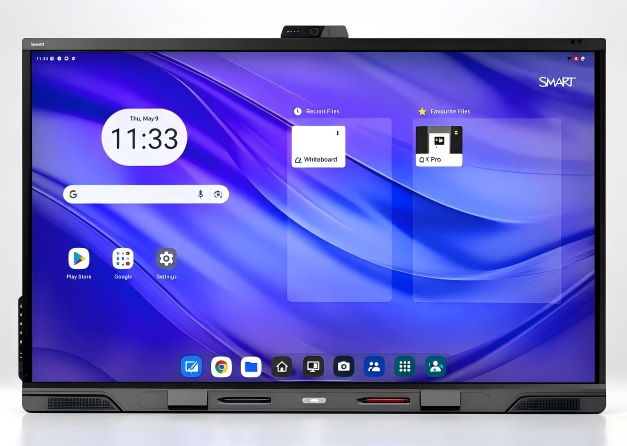
SMART Board QX Pro Series 75″ (QX275-V2-P)
| Category | Details |
|---|---|
| Product Name | SMART Board QX Pro Series 75″ (QX275-V2-P) |
| Price Range |
US$5,097 – US$5,327 (Mainstream) Highest: B&H Photo – US$6,999 Examples: – Avendor: US$5,326.99 – eBay (capitalmusicgear): US$6,341.99 |
| Where to Buy |
– Avendor (Online) – B&H Photo (USA) – eBay – capitalmusicgear – Available globally with free shipping & 30-day returns |
| Display & Resolution |
75” 4K UHD (3840 × 2160) Ideal for large conference rooms. |
| OS & Platform | Built-in Android 13, supports whiteboarding, cloud files, browser. |
| Touch & Interaction | 40-point touch, Palm Rejection, Pen ID, Object Recognition. |
| Wireless Connectivity | Wi-Fi 6E + Bluetooth 5.2, supports wireless casting. |
| Audio & Mic System | 2.1-channel (2×20W speakers + 15W subwoofer), 8-mic array. |
| I/O Ports | HDMI x4, USB-C x3, LAN, VGA, Audio in/out, NFC. |
| Contact | Contact on WhatsApp |

LG CreateBoard 86” (Model: 86TR3DJ-B)
| Category | Details |
|---|---|
| Product Name | LG CreateBoard 86” (Model: 86TR3DJ-B / UPC: 195174011072) |
| Price Range |
US$5,666.00 Typical retail price (varies by platform) |
| Where to Buy |
– Freight Shipping Only – Available on B2B electronics & AV platforms – Global online stores may stock (varies by region) |
| Display & Resolution | 86” UHD (3840×2160) IPS panel |
| Touch & Interaction | IR multi-touch, up to 20 touch/10 writing points, dual pen and colour support |
| Connectivity & Features | AirClass, ScreenShare Pro, Bluetooth, OPS slot (PC not included) |
| Performance & AV | 8ms response time, built-in 24W speakers |
| Design | Matte silver finish, WebOS 4.0, also available in 55” transparent OLED touch version |
| Contact | Contact on WhatsApp |
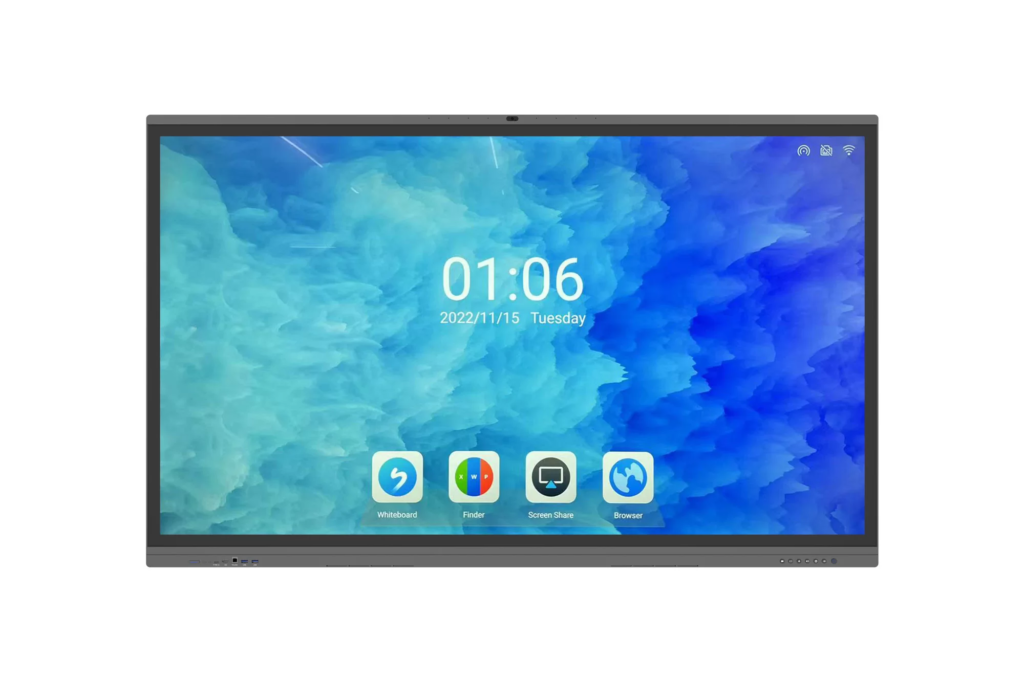
Promethean ActivPanel 9 Premium
| Category | Details |
|---|---|
| Product Name |
Promethean ActivPanel 9 Premium 86” Model: AP9-B86-NA-1 |
| Price Range |
US$6,176.47 (Configured price) Note: Non-cancellable / Non-returnable |
| Where to Buy |
– Available through education tech resellers – Sold via AV solution integrators and Promethean official partners |
| Display & Interaction | 86” UHD, 20-point touch with Vellum™ tech, dual pen/colour support, palm rejection and pen/finger recognition. |
| Security & Profiles | Multiple sign-in (password, QR, app, NFC), secure roaming profiles, remote sign-out and panel lock. |
| Connectivity & Software | USB-C (100W PD), 7 video I/O types, built-in mic array, supports ScreenShare, AirClass, Google Classroom, MS Teams, includes OPS slot, 2 pens, 2 NFC cards, WiFi module. |
| Teaching Tools & OS | Built-in screen recorder with voice, dual browsers, intuitive remote, cloud customization via Promethean account. |
| Durability & Design | Bonded glass for clarity and precision, built for long-term educational use, enhanced memory and system lifespan. |
| Contact | Contact on WhatsApp |

Newline Q-Series 86″ 4K Interactive LED Display
| Category | Details |
|---|---|
| Product Name | Newline Q-Series 86″ 4K Interactive LED Display |
| Price Range | US$2,986.42 – US$4,972.99 |
| Where to Buy | Electronic Whiteboard Warehouse, Avendor, MyWhiteboards.com |
| Display & Resolution | 86” UHD 4K (3840 × 2160) IPS panel for sharp, vibrant visuals. |
| Touch & Interaction | Supports multi-touch with up to 20 touch points; includes USB Type-C input for easy connectivity. |
| Connectivity & Features | Wireless screen sharing, Bluetooth support, and OPS slot for optional PC integration. |
| Performance & AV | Built-in 24W speakers deliver clear audio; low latency ensures smooth response. |
| Design | Slim bezel design with commercial-grade durability; includes wall mount for flexible installation. |
| Contact | Contact on WhatsApp |
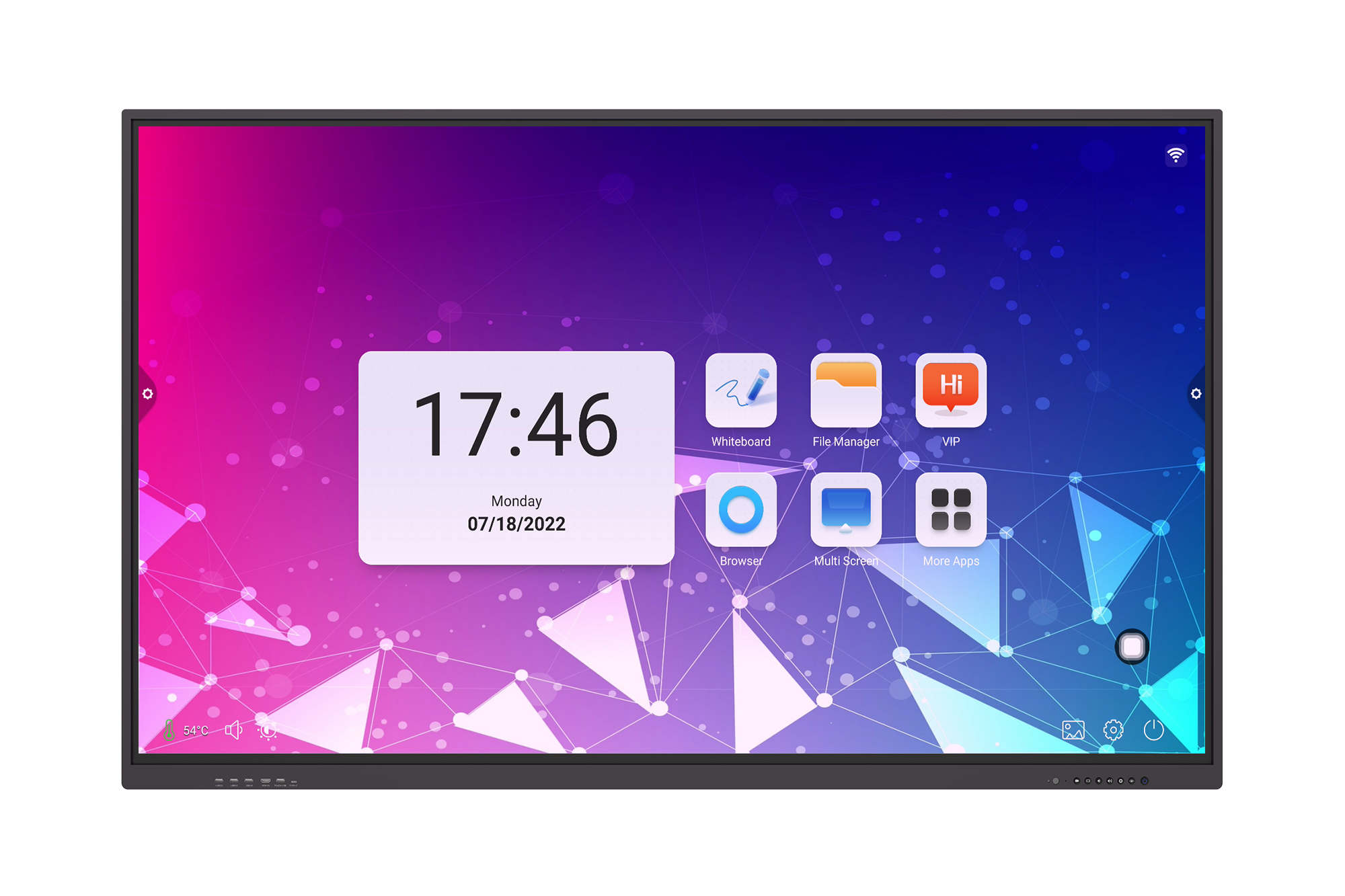
ViewSonic IFP6552-2ED 4K UHD Interactive Display (65″)
| Category | Details |
|---|---|
| Product Name | ViewSonic IFP6552-2ED 4K UHD Interactive Display (65″) |
| Price Range | Typically $2,306.04 – $2,601 |
| Where to Buy | B&H Photo-Video-Audio, CDW, compsource.com |
| Display | 65” UHD 4K (3840×2160) LCD LED with IR touch |
| Touch | Supports up to 40-point simultaneous touch |
| OS & Certification | Android EDLA certified |
| Features | High-accuracy touchscreen, palm recognition, built-in whiteboard technology |
| Delivery | Free standard shipping; 3-day delivery available on B&H |
| Contact | Contact on WhatsApp |
Which Configuration You Should Care About For Your Interactive Display For Business?
When choosing an interactive display for your business, several important factors can make or break the experience. First up is display quality and size. Imagine you’re in a big meeting room, but your screen is small or low resolution—everyone struggles to see the details on the slides or data charts. That’s frustrating and wastes time. A crisp 4K UHD display at a suitable size ensures everyone sees clearly and stays engaged.
Next, touch and interaction capabilities are essential, especially for collaboration. A display that supports multi-touch lets several people interact at once—great for brainstorming or training sessions. Without features like palm rejection, accidental touches can disrupt the flow, as happened at one training center where users kept triggering unintended actions.
Performance and audio are just as critical. A laggy screen or weak speakers can kill the energy in a room. Remote teams have shared how slow response times and unclear sound made their meetings drag on unnecessarily, leading to misunderstandings.
Then there’s connectivity. Having multiple ways to connect—USB-C, HDMI, wireless screen sharing—means no one wastes time hunting for adapters or dealing with incompatible devices. One office found their meetings often started late because their display only had limited ports.
Finally, don’t overlook security. Displays that support secure logins and remote management help keep sensitive information safe. Without this, a company risked having confidential data visible to unauthorized people simply because the screen was left unlocked.
Choosing the right display means smoother meetings, better collaboration, and peace of mind.
Balancing Budget and Performance When Choosing an Interactive Display for Business
Balancing budget and performance when selecting an interactive display for business can feel tricky, but it doesn’t have to be. The key is to focus on what most businesses actually need, rather than chasing every high-end feature. In fact, a standard basic configuration can easily meet about 80% of typical business use cases.
So, what does this standard setup look like? Generally, a 65” to 75” UHD 4K display offers a great balance between visibility and cost, fitting well in most conference rooms or classrooms. On the performance side, aim for at least 4GB of RAM and 32GB of storage built into the device — enough to run interactive apps smoothly and save presentations or notes locally. If your business needs to run two operating systems or heavy applications, consider pairing the display with an OPS (Open Pluggable Specification) computer. This lets you upgrade computing power independently without replacing the entire display.
If you plan to purchase more than five interactive displays, sourcing from Chinese smart board manufacturers might be a cost-effective solution. These manufacturers often provide reliable products with competitive pricing and customizable options tailored to bulk orders. Just be sure to check reviews and certifications to ensure quality.
Ultimately, by understanding your core needs and avoiding unnecessary extras, you can find an interactive display solution that delivers solid performance without blowing your budget. This practical approach keeps your team productive and your business expenses reasonable.
Final Thoughts
If you’re looking for an interactive smart board for your business, consider an affordable alternative directly from a trusted Chinese smart board manufacturer. As a smart board factory, Ikinor offers wholesale interactive displays with highly customizable configurations tailored to your needs. Contact us today for the best solution and competitive pricing.



 English
  Spanish
  Arabic
  French
  Indonesian
  German
  Portuguese
  Russian
  Vietnamese
  Thai
Thai  Italian