
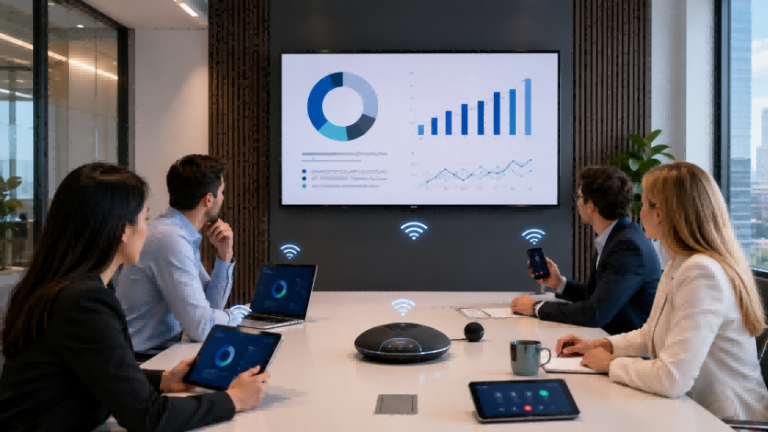
Nhiều phòng họp trông hiện đại, nhưng trải nghiệm chia sẻ màn hình vẫn còn lộn xộn. Một khách mời có thể mang theo MacBook, một nhân viên sử dụng máy tính xách tay Windows, trong khi người thuyết trình khác muốn chia sẻ từ máy tính bảng. Khi phòng họp vẫn phụ thuộc vào một cáp HDMI duy nhất, thiếu bộ chuyển đổi USB-C hoặc nguồn đầu vào khó hiểu, cuộc họp có thể bị chậm lại ngay cả trước khi bài thuyết trình bắt đầu. Đây chính là lý do tại sao cần đến giải pháp này. Màn hình không dây & Bluetooth Trở nên hữu ích cho màn hình phòng họp không dây. Thay vì coi màn hình như một màn hình máy tính đơn giản, các doanh nghiệp có thể xây dựng hệ thống màn hình phòng họp không dây hỗ trợ chia sẻ màn hình, thiết bị BYOD, thiết bị ngoại vi Bluetooth và cộng tác mượt mà hơn giữa các phòng họp, không gian đào tạo và môi trường họp kết hợp.
Màn hình không dây và Bluetooth là gì?
Màn hình không dây & Bluetooth có thể được hiểu là một giải pháp màn hình phòng họp không dâythay vì một "thiết bị giám sát Bluetooth" truyền thống.
Nói một cách đơn giản, chúng giải quyết một vấn đề thường gặp trong phòng họp: mỗi người tham dự sử dụng các thiết bị khác nhau. Một người có thể dùng MacBook, người khác dùng máy tính xách tay chạy Windows, và người khác lại muốn chia sẻ nội dung từ máy tính bảng. Nếu mọi người phải tìm kiếm cáp HDMI, bộ chuyển đổi USB-C hoặc nguồn đầu vào phù hợp, trải nghiệm cuộc họp sẽ nhanh chóng trở nên lộn xộn. Mục đích của... màn hình không dây Mục đích là giúp người dùng chia sẻ nội dung từ máy tính xách tay, điện thoại hoặc máy tính bảng lên màn hình chính của phòng họp nhanh hơn.
Một điểm quan trọng cần lưu ý là thuật ngữ này Màn hình Bluetooth Có thể gây hiểu lầm. Bluetooth Thông thường, đây không phải là công nghệ chính để truyền tải video chất lượng cao. Trong các phòng họp thương mại, nội dung video thường được chia sẻ thông qua... Wi-Fi, Một mạng cục bộ, AirPlay, Miracast, Một Bộ chuyển đổi truyền hình USB-Choặc một hệ thống trình chiếu không dây chuyên dụng. Bluetooth Nó thường được sử dụng để kết nối các thiết bị ngoại vi phòng họp, chẳng hạn như loa, micro, điều khiển từ xa, bàn phím hoặc chuột.
Ví dụ, một nhân viên có thể vào phòng họp và chia sẻ không dây bài thuyết trình PowerPoint từ máy tính xách tay lên màn hình chính. Đồng thời, phòng họp có thể sử dụng micro Bluetooth hoặc loa Bluetooth để cải thiện chất lượng âm thanh trong cuộc họp kết hợp. Trong trường hợp này, màn hình không chỉ đơn thuần là một màn hình máy tính. Nó trở thành một phần của hệ thống hoàn chỉnh. màn hình phòng họp không dây hệ thống.
| Thuật ngữ | Ý nghĩa đơn giản | Sử dụng trong phòng họp |
|---|---|---|
| Màn hình không dây | Màn hình có khả năng nhận nội dung không dây. | Chia sẻ bản trình chiếu PowerPoint, màn hình máy tính xách tay, tài liệu hoặc nội dung trực quan. |
| Màn hình trình chiếu không dây | Màn hình không dây được thiết kế dành cho các bài thuyết trình kinh doanh | Phòng họp công ty, thuyết trình khách hàng, phòng đào tạo |
| Thiết bị ngoại vi Bluetooth | Các thiết bị được kết nối qua Bluetooth | Loa, micro, điều khiển từ xa, bàn phím, chuột |
| Màn hình hội nghị tương tác | Màn hình họp với tính năng cảm ứng và ghi chú. | Sử dụng bảng trắng, thảo luận tương tác, hợp tác đào tạo. |
Vậy, giá trị thực sự của Màn hình không dây & Bluetooth Không chỉ đơn giản là "tháo bỏ dây cáp". Đó là việc giúp các phòng họp chuyển từ việc "tìm dây cáp, chuyển đổi cổng và điều chỉnh thiết bị" sang... Kết nối nhanh, chia sẻ nhanh và khởi động cuộc họp nhanh hơnĐối với các văn phòng công ty, khách sạn, phòng đào tạo và không gian họp đa năng, trải nghiệm này thường thiết thực hơn so với chỉ sử dụng một màn hình thông thường.
Tại sao màn hình phòng họp không dây lại quan trọng đối với các nhóm làm việc hiện đại?
Đối với các nhóm hiện đại, hiệu quả của phòng họp không chỉ nằm ở việc có màn hình lớn. Điều quan trọng là mọi người có thể chia sẻ ý tưởng nhanh chóng, chuyển đổi người thuyết trình mượt mà và giữ cho cả người tham gia trực tiếp và người tham gia từ xa tập trung vào cùng một nội dung. Đó là lý do tại sao màn hình phòng họp không dây Chúng ngày càng trở nên có giá trị trong các văn phòng, trung tâm đào tạo, khách sạn và không gian kinh doanh đa năng. Chúng không chỉ đơn giản làm cho căn phòng trông sạch sẽ hơn mà còn giảm thiểu những sự cố kỹ thuật nhỏ thường làm gián đoạn quá trình thảo luận, thuyết trình và ra quyết định.
1. Chúng tạo ra không gian họp sạch sẽ và linh hoạt hơn.
Các phòng họp truyền thống thường phụ thuộc vào dây cáp, bộ chuyển đổi và cổng đầu vào cố định. Theo thời gian, những phụ kiện này có thể khiến bàn làm việc trông lộn xộn và hạn chế vị trí ngồi hoặc thuyết trình của mọi người. màn hình phòng họp không dây Giúp các nhóm linh hoạt hơn trong việc chia sẻ nội dung mà không bị ràng buộc bởi một điểm kết nối vật lý duy nhất.
2. Chúng hỗ trợ môi trường họp BYOD (mang thiết bị cá nhân đến nơi làm việc).
Các nhóm làm việc và khách truy cập hiện đại thường sử dụng nhiều thiết bị khác nhau, bao gồm máy tính xách tay chạy Windows, MacBook, máy tính bảng và điện thoại thông minh. màn hình phòng họp không dây Giúp người dùng dễ dàng chia sẻ từ thiết bị cá nhân của họ, rất hữu ích cho các buổi thuyết trình với khách hàng, thảo luận nội bộ, các buổi đào tạo và không gian làm việc kết hợp.
3. Chúng giúp việc chuyển đổi người thuyết trình diễn ra mượt mà hơn.
Trong nhiều cuộc họp, cần có nhiều hơn một người thuyết trình. Với thiết lập có dây, mỗi người thuyết trình có thể cần phải ngắt kết nối, kết nối lại và điều chỉnh nguồn hiển thị. Thiết lập không dây cho phép các nhóm chuyển đổi giữa các người thuyết trình một cách tự nhiên hơn, giúp cuộc họp tập trung vào nội dung hơn là thiết bị.
4. Chúng cải thiện trải nghiệm họp trực tuyến kết hợp trực tuyến và trực tiếp.
Nhiều cuộc họp hiện nay có cả người tham dự trực tiếp và người tham dự từ xa. Khi chia sẻ màn hình, thiết bị âm thanh, máy ảnh và micro hoạt động trơn tru với nhau, mọi người có thể dễ dàng theo dõi cùng một nội dung hơn. Một giải pháp tốt màn hình phòng họp không dây Việc thiết lập này giúp giảm thiểu sự gián đoạn do việc chuyển đổi thiết bị hoặc đường truyền kết nối kém gây ra.
5. Chúng giúp giảm áp lực cho bộ phận hỗ trợ CNTT.
Nếu mỗi phòng họp sử dụng các loại cáp, bộ chuyển đổi hoặc phương thức kết nối khác nhau, nhóm CNTT thường phải giải quyết đi giải quyết lại cùng một vấn đề cơ bản. Một hệ thống được tiêu chuẩn hóa hơn sẽ giải quyết được vấn đề này. Phòng họp BYOD Việc thiết lập này có thể giảm thiểu yêu cầu hỗ trợ và giúp vận hành hàng ngày dễ dàng hơn trên nhiều không gian họp khác nhau.
Đối với các công ty, trường học, trung tâm đào tạo, khách sạn và môi trường kinh doanh dùng chung, giá trị của màn hình phòng họp không dây Không chỉ đơn thuần là một căn phòng sạch sẽ hơn. Giá trị thực sự nằm ở việc cộng tác nhanh hơn, khả năng tương thích thiết bị tốt hơn, thuyết trình mượt mà hơn và ít gián đoạn cuộc họp hơn.
Các tính năng cốt lõi làm cho màn hình họp không dây trở nên hữu ích
MỘT màn hình họp không dây Không nên chỉ đánh giá màn hình dựa trên khả năng kết nối không dây. Đối với mục đích kinh doanh, câu hỏi thực sự là liệu màn hình có hỗ trợ nhiều thiết bị, kiểu họp, bố cục phòng và nhu cầu hoạt động hàng ngày khác nhau hay không. Một màn hình hữu ích màn hình phòng họp không dây Nó nên giúp việc chia sẻ dễ dàng hơn, đồng thời cũng phải đảm bảo chất lượng hiển thị đáng tin cậy, khả năng cộng tác mượt mà, tích hợp âm thanh/video và quản lý đơn giản.
| Tính năng | Vấn đề mà nó giải quyết | Kịch bản cuộc họp phù hợp |
|---|---|---|
| Chia sẻ màn hình không dây | Giảm sự phụ thuộc vào cáp HDMI, bộ chuyển đổi và các điểm kết nối cố định. | Thuyết trình cho khách hàng, họp nội bộ, thảo luận nhóm nhanh chóng |
| Khả năng tương thích đa nền tảng | Giúp người dùng chia sẻ từ Windows, macOS, iOS, Android, máy tính xách tay, máy tính bảng hoặc điện thoại. | Phòng họp BYOD, tiếp khách, văn phòng kết hợp |
| Tùy chọn màn hình 4K | Cải thiện độ rõ nét cho các slide, bảng tính, hình ảnh sản phẩm, bản vẽ và nội dung video. | Phòng họp, phòng đào tạo, phòng trưng bày, không gian họp dành cho lãnh đạo cấp cao. |
| Tương tác cảm ứng | Cho phép người dùng viết, chú thích, phóng to và thảo luận trực tiếp trên màn hình. | Phòng đào tạo, các buổi thảo luận ý tưởng, hội thảo tương tác. |
| Thiết bị ngoại vi âm thanh Bluetooth | Kết nối loa, micro hoặc loa ngoài để có chất lượng âm thanh cuộc họp tốt hơn. | Các cuộc họp kết hợp, cuộc gọi video, phòng họp nhỏ và vừa. |
| Tích hợp camera, micro và loa | Hỗ trợ giao tiếp mượt mà hơn giữa người tham gia trong phòng và người tham gia từ xa. | Zoom, Teams, Google Meet, các không gian cộng tác từ xa |
| Truy cập bằng mã PIN | Giúp người dùng kết nối với màn hình chính xác và giảm thiểu việc chia sẻ nhầm lẫn. | Văn phòng chia sẻ, phòng họp khách sạn, không gian họp công cộng |
| Quản lý tập trung | Giúp các nhóm CNTT dễ dàng quản lý nhiều màn hình, cài đặt và cập nhật hơn. | Văn phòng nhiều phòng, trường học, khách sạn, triển khai doanh nghiệp. |
| Hỗ trợ cập nhật phần mềm | Giúp duy trì sự ổn định, khả năng tương thích và bảo mật của hệ thống theo thời gian. | Các dự án kinh doanh dài hạn và không gian họp được quản lý |
| Hỗ trợ mạng khách | Cho phép khách truy cập chia sẻ nội dung mà không cần truy cập vào mạng lưới chính của công ty. | Thuyết trình cho khách hàng, họp đối tác, phòng hội nghị khách sạn |
Đặc điểm đầu tiên mà hầu hết người mua chú ý đến là chia sẻ màn hình không dâyNhưng khả năng tương thích cũng quan trọng không kém. Một màn hình chỉ hoạt động tốt với một hệ sinh thái thiết bị duy nhất có thể gây ra vấn đề trong phòng họp thực tế. Trong nhiều môi trường kinh doanh, nhân viên và khách mời mang theo nhiều loại máy tính xách tay, máy tính bảng và điện thoại khác nhau. Đó là lý do tại sao khả năng tương thích mạnh mẽ là rất quan trọng. màn hình trình chiếu không dây Nên hỗ trợ các hệ điều hành phổ biến và các phương thức kết nối linh hoạt.
Chất lượng hiển thị cũng rất quan trọng. Đối với các cuộc họp thông thường, màn hình tiêu chuẩn có thể là đủ. Nhưng khi các nhóm cần xem xét các bảng tính chi tiết, hình ảnh sản phẩm, bản vẽ thiết kế hoặc tài liệu đào tạo, thì màn hình chất lượng cao hơn sẽ tốt hơn. Tùy chọn màn hình 4K có thể giúp nội dung dễ đọc hơn. Nếu phòng được sử dụng để giảng dạy, động não hoặc thảo luận giải pháp, thì... màn hình hội nghị tương tác Các tính năng cảm ứng và chú thích có thể mang lại giá trị cao hơn so với một màn hình đơn giản.
Việc tích hợp âm thanh và video không nên bị bỏ qua. Màn hình cuộc họp có thể xử lý phần hình ảnh, nhưng các cuộc họp kết hợp cũng phụ thuộc vào micro, loa, camera và đôi khi là loa ngoài Bluetooth. Đây là lúc cần đến chúng. Thiết bị ngoại vi Bluetooth Chúng trở nên hữu ích. Chúng giúp cải thiện chất lượng âm thanh và sự tiện lợi khi điều khiển, trong khi việc chia sẻ video chính vẫn phụ thuộc vào phương thức truyền phát không dây hoặc kết nối mạng.
Đối với người mua doanh nghiệp, các tính năng quản lý cũng rất quan trọng. Nếu một công ty, khách sạn, trường học hoặc trung tâm đào tạo quản lý nhiều phòng họp, việc thiết lập tập trung, cập nhật phần mềm, kiểm soát truy cập và hỗ trợ mạng khách có thể giảm thiểu công việc bảo trì hàng ngày. Nói cách khác, một hệ thống tốt... màn hình họp không dây Nó không chỉ đơn thuần là hiển thị nội dung trên màn hình. Nó cần hỗ trợ một môi trường họp ổn định, linh hoạt và dễ quản lý hơn.
Màn hình không dây và Bluetooth tạo ra giá trị cao nhất ở đâu?
Màn hình không dây & Bluetooth Chúng có giá trị nhất trong những không gian mà mọi người thường xuyên chia sẻ nội dung, chuyển đổi người thuyết trình hoặc sử dụng các thiết bị khác nhau. Ở giai đoạn này, trọng tâm không phải là nhắc lại cách thức hoạt động của chia sẻ không dây, mà là xác định những tình huống họp nào có nhu cầu mạnh mẽ nhất về trải nghiệm hiển thị linh hoạt hơn.
Phòng hội nghị doanh nghiệp Các cuộc họp thường có nhiều người thuyết trình. Giám đốc bán hàng có thể trình bày đề xuất, giám đốc sản phẩm có thể giải thích lộ trình phát triển sản phẩm, và đối tác khách mời có thể chia sẻ tệp từ thiết bị khác. Vấn đề chính không phải là màn hình mà là sự gián đoạn do việc chuyển đổi người thuyết trình, sự khác biệt giữa các thiết bị và quá trình thiết lập chậm.
Phòng họp nhỏ Những phòng này được sử dụng cho các cuộc thảo luận nhanh và các cuộc họp nhóm ngắn. Chúng thường cần vận hành đơn giản hơn là một hệ thống AV phức tạp. Vấn đề chính là ngay cả một sự cố kết nối nhỏ cũng có thể làm lãng phí một phần lớn thời gian của một cuộc họp ngắn, đặc biệt là khi mọi người chỉ cần chia sẻ nhanh một tài liệu, một biểu đồ hoặc một ý tưởng.
Phòng đào tạo và phòng học Cần nhiều sự tương tác hơn so với các phòng họp tiêu chuẩn. Người hướng dẫn có thể cần giải thích slide, chú thích nội dung, chuyển đổi giữa các tài liệu hoặc mời người tham gia chia sẻ màn hình của họ. Vấn đề chính là màn hình thụ động có thể hạn chế sự tham gia, đặc biệt khi buổi học cần thảo luận, trình diễn hoặc giải thích trực tiếp.
Phòng họp và không gian tổ chức sự kiện của khách sạn Mỗi ngày phục vụ nhiều khách khác nhau. Một khách có thể mang MacBook, người khác dùng máy tính xách tay chạy Windows, và người khác lại cần thuyết trình trên máy tính bảng. Khó khăn chính là sự không chắc chắn. Nhân viên khách sạn không thể dự đoán được mọi thiết bị, bộ chuyển đổi hay định dạng thuyết trình trước khi sự kiện bắt đầu.
Phòng trưng bày và trung tâm đón khách Việc thuyết trình trực quan phụ thuộc rất nhiều vào hình ảnh. Các nhóm bán hàng có thể cần phải chuyển đổi giữa hình ảnh sản phẩm, video, trang web, tài liệu quảng cáo và file đề xuất trong một cuộc gặp gỡ với khách hàng. Vấn đề chính là tính linh hoạt trong thuyết trình. Nếu người thuyết trình chỉ sử dụng một dây cáp hoặc một thiết bị duy nhất, cuộc trò chuyện bán hàng sẽ trở nên kém tự nhiên hơn.
Phòng họp của chính phủ và cơ quan công vụ Các phòng họp thường cần quy trình ổn định, tiêu chuẩn hóa và dễ thực hiện. Những phòng này có thể được sử dụng bởi các bộ phận khác nhau hoặc khách mời bên ngoài. Vấn đề chính là tính nhất quán. Nếu mỗi người dùng kết nối theo một cách khác nhau, việc quản lý và hỗ trợ phòng họp sẽ trở nên khó khăn hơn.
| Kịch bản ứng dụng | Điểm khó khăn chính | Giá trị thực tiễn |
|---|---|---|
| Phòng hội nghị doanh nghiệp | Nhiều người thuyết trình, nhiều thiết bị khác nhau, chuyển đổi chậm. | Quy trình cuộc họp diễn ra suôn sẻ hơn |
| Phòng họp nhỏ | Các cuộc họp ngắn rất dễ bị gián đoạn do các vấn đề về chuẩn bị. | Thảo luận nhóm nhanh hơn |
| Phòng đào tạo và phòng học | Màn hình hiển thị thụ động hạn chế sự tương tác và giải thích. | Tương tác tốt hơn và quy trình giảng dạy hiệu quả hơn |
| Phòng họp khách sạn | Thiết bị của khách và định dạng sự kiện là không thể dự đoán trước. | Thiết lập sự kiện dễ dàng hơn |
| Phòng trưng bày và Trung tâm đón khách | Nội dung bán hàng cần được thay đổi thường xuyên. | Trình bày trực quan linh hoạt hơn |
| Phòng Chính phủ/Dịch vụ Công cộng | Các không gian dùng chung cần được vận hành nhất quán. | Quản lý cuộc họp được chuẩn hóa hơn |
Cách lựa chọn cấu hình màn hình không dây phù hợp với kích thước phòng và nhu cầu cuộc họp
Sau khi xác nhận vị trí sử dụng màn hình, bước tiếp theo là ghép nối... cấu hình hiển thị không dây Tùy thuộc vào kích thước phòng và kiểu họp. Phòng họp nhỏ, phòng họp cỡ trung, phòng hội nghị và không gian đào tạo không cần cùng một thiết lập. Đối với người mua B2B, mục tiêu không phải là chọn hệ thống tiên tiến nhất, mà là chọn hệ thống thiết thực. giải pháp màn hình phòng hội nghị Phù hợp với nhu cầu sử dụng hàng ngày, ngân sách và quản lý dài hạn.
Phòng nhỏ: Chia sẻ không dây đơn giản và thiết lập dễ dàng
Các phòng họp nhỏ thường cần thiết lập đơn giản và nhanh chóng. Yêu cầu chính là kết nối dễ dàng, chứ không phải hệ thống điều khiển AV phức tạp. Một thiết bị nhỏ gọn. màn hình phòng họp không dây Với tính năng chia sẻ màn hình không dây cơ bản và hỗ trợ âm thanh Bluetooth, cấu hình này có thể đủ cho các cuộc thảo luận nhóm nhanh, các cuộc họp riêng và các bài thuyết trình ngắn.
Người mua nên kiểm tra xem màn hình có dễ kết nối không, có hỗ trợ các thiết bị thông dụng không và chất lượng âm thanh có đủ rõ ràng để giao tiếp trong nhóm nhỏ hay không.
Phòng họp cỡ trung: Màn hình, âm thanh và khả năng tương thích thiết bị tốt hơn
Các phòng họp cỡ trung thường có nhiều người tham dự và nhiều bài thuyết trình hơn. Trong loại phòng này, độ rõ nét của màn hình, khoảng cách xem và phạm vi phủ sóng âm thanh trở nên quan trọng hơn. Màn hình lớn hơn, khả năng chia sẻ không dây ổn định và hỗ trợ loa hoặc micro tốt hơn có thể nâng cao trải nghiệm cuộc họp.
Đối với những phòng này, người mua nên chú ý đến khả năng tương thích thiết bị, độ rõ nét của màn hình và liệu hệ thống có thể hỗ trợ nhiều người dùng khác nhau mà không cần thiết lập phức tạp hay không.
Phòng họp: Sự ổn định, bảo mật và tích hợp hệ thống nghe nhìn chuyên nghiệp
Phòng họp thường yêu cầu thiết lập ổn định và chuyên nghiệp hơn. Các cuộc họp có thể có sự tham gia của các giám đốc điều hành, khách hàng, đối tác hoặc các phiên ra quyết định quan trọng. Màn hình cần hỗ trợ chia sẻ không dây đáng tin cậy, hình ảnh rõ nét, kiểm soát truy cập và tích hợp với camera, micro, loa hoặc hệ thống hội nghị truyền hình.
Đối với phòng họp, người mua nên kiểm tra bảo mật kết nối, mã PIN truy cập, khả năng tương thích AV và liệu hệ thống có thể hỗ trợ các cuộc họp chính thức mà không bị gián đoạn kỹ thuật thường xuyên hay không.
Không gian đào tạo: Cảm ứng, chú thích và cộng tác tương tác
Training rooms need more than simple content sharing. Trainers may need to write on the screen, annotate documents, switch between materials, or invite participants to join the discussion. For spaces that require flexible setup and easy repositioning, Portable Smart Screen Solutions can provide a practical alternative to fixed display installations.
Người mua nên kiểm tra khả năng phản hồi cảm ứng, trải nghiệm viết, công cụ chú thích, tùy chọn lưu nội dung và liệu màn hình có hỗ trợ chuyển đổi mượt mà giữa tài liệu giảng dạy và màn hình chia sẻ hay không.
Dự án nhiều phòng: Quản lý tập trung và triển khai tiêu chuẩn hóa
Đối với các công ty, trường học, khách sạn hoặc trung tâm đào tạo có nhiều phòng họp, quản lý trở thành yếu tố then chốt. Nếu mỗi phòng sử dụng phương thức kết nối hoặc hệ thống hiển thị khác nhau, việc bảo trì hàng ngày có thể trở nên khó khăn. Một hệ thống quản lý tiêu chuẩn hóa sẽ giải quyết vấn đề này. cấu hình hiển thị không dây Giúp người dùng kết nối theo cùng một cách thức giữa các phòng khác nhau.
Đối với các dự án nhiều phòng họp, người mua nên cân nhắc việc quản lý tập trung, cập nhật phần mềm, bảo trì từ xa, kiểm soát truy cập người dùng và hoạt động nhất quán trên tất cả các không gian họp.
| Loại phòng | Hướng dẫn thiết lập được đề xuất | Những điều cần kiểm tra |
|---|---|---|
| Phòng nhỏ | Chia sẻ không dây đơn giản + màn hình cơ bản + âm thanh Bluetooth | Kết nối dễ dàng, hỗ trợ nhiều thiết bị, âm thanh rõ nét. |
| Phòng họp cỡ trung | Màn hình lớn hơn + Âm thanh tốt hơn + Khả năng tương thích với nhiều thiết bị | Khoảng cách xem, khả năng đọc màn hình, phạm vi phủ sóng âm thanh |
| Phòng họp | Màn hình chất lượng cao + Chia sẻ không dây ổn định + Tích hợp AV chuyên nghiệp | Bảo mật, kiểm soát truy cập, khả năng tương thích với camera/micro |
| Không gian đào tạo | Màn hình cảm ứng + chú thích + chia sẻ đa thiết bị | Phản hồi cảm ứng, trải nghiệm viết, lưu nội dung |
| Dự án nhiều phòng | Hệ thống thống nhất + quản lý tập trung + bảo trì từ xa | Triển khai tiêu chuẩn hóa, quản lý CNTT, cập nhật phần mềm. |
Một điều tốt màn hình phòng họp không dây Việc thiết lập hệ thống cần phù hợp với cách sử dụng thực tế của căn phòng. Phòng nhỏ cần tốc độ và sự đơn giản. Phòng họp cần sự ổn định và bảo mật. Không gian đào tạo cần sự tương tác. Các dự án nhiều phòng cần quản lý và tính nhất quán. Đối với người mua theo dự án, nhà cung cấp có thể giúp lựa chọn kích thước màn hình, phương thức chia sẻ không dây, thiết bị ngoại vi Bluetooth và tích hợp AV dựa trên bố cục phòng và yêu cầu cuộc họp.
Danh sách kiểm tra trước khi mua màn hình không dây
Trước khi mua màn hình không dây Đối với dự án phòng họp, người mua nên chuẩn bị nhiều hơn một yêu cầu sản phẩm đơn giản. Một yêu cầu tốt cần giải thích màn hình sẽ được sử dụng ở đâu, người dùng sẽ mang theo thiết bị gì, cách lắp đặt trong phòng và liệu dự án có cần màn hình cảm ứng, âm thanh, hội nghị video hay quản lý tập trung hay không. Điều này giúp ích cho... nhà cung cấp màn hình phòng họp không dây Hãy đề xuất một giải pháp phù hợp hơn thay vì chỉ báo giá một loại màn hình cơ bản.
| Những điều cần kiểm tra | Tại sao điều đó lại quan trọng | Những câu hỏi cần hỏi nhà cung cấp |
|---|---|---|
| Kích thước phòng và khoảng cách nhìn | Kích thước phòng ảnh hưởng đến kích thước màn hình, khả năng đọc và sự thoải mái khi xem. Một phòng nhỏ và một phòng họp lớn không cần hướng màn hình giống nhau. | Kích thước màn hình hoặc loại màn hình nào phù hợp với bố cục phòng và khoảng cách xem này? |
| Hệ sinh thái thiết bị | Người tham dự cuộc họp có thể mang theo máy tính xách tay chạy Windows, MacBook, iPad, máy tính bảng Android hoặc điện thoại thông minh. Khả năng tương thích ảnh hưởng đến việc sử dụng hàng ngày. | Màn hình này có hỗ trợ các thiết bị Windows, macOS, iOS và Android không? |
| Phương pháp chia sẻ không dây | Phương thức chia sẻ ảnh hưởng đến tốc độ kết nối, độ ổn định và trải nghiệm của người dùng. Các hệ thống khác nhau có thể sử dụng Wi-Fi, mạng cục bộ, thiết bị truyền phát, AirPlay, Miracast hoặc các giải pháp khác. | Những phương pháp chia sẻ màn hình không dây nào được hỗ trợ? Người dùng có cần ứng dụng, thiết bị kết nối (dongle) hay mã PIN không? |
| Thiết bị ngoại vi Bluetooth | Bluetooth có thể hữu ích cho loa, micro, điều khiển từ xa, bàn phím hoặc chuột. Nên kiểm tra chức năng này như một phần của quá trình thiết lập cuộc họp hoàn chỉnh. | Màn hình này có thể hoạt động với các thiết bị âm thanh Bluetooth hoặc các thiết bị ngoại vi điều khiển không? |
| Chức năng cảm ứng | Cảm ứng rất quan trọng cho việc đào tạo, ghi chú, động não và cộng tác tương tác. Không phải dự án nào cũng cần đến nó, nhưng các phòng tương tác thường thì cần. | Màn hình có hỗ trợ cảm ứng, chú thích, viết trên bảng trắng hoặc lưu nội dung không? |
| Tích hợp camera và micro | Các cuộc họp kết hợp phụ thuộc vào chất lượng âm thanh và hình ảnh rõ nét. Màn hình có thể cần hoạt động tốt với camera, micro, loa ngoài hoặc các nền tảng hội nghị trực tuyến. | Hệ thống này có thể tích hợp với camera, micro, loa hoặc các công cụ hội nghị truyền hình không? |
| Môi trường mạng | Hiệu suất hiển thị không dây phụ thuộc vào cấu hình mạng, quy tắc truy cập của khách và chính sách bảo mật. | Giải pháp này có hỗ trợ truy cập mạng khách, kết nối bảo mật hoặc mạng riêng cho từng phòng họp không? |
| Phương pháp lắp đặt | Việc lắp đặt treo tường, đặt sàn, có chân đế di động hoặc lắp đặt âm tường sẽ ảnh hưởng đến bố cục phòng và trải nghiệm người dùng. | Dự án này có những phương pháp lắp đặt nào? |
| Quản lý tập trung | Đối với các dự án nhiều phòng, quản lý tập trung có thể giảm bớt công việc của bộ phận CNTT và giúp vận hành nhất quán hơn. | Có thể quản lý, cập nhật hoặc giám sát nhiều màn hình từ một nền tảng duy nhất không? |
| Nhu cầu tùy chỉnh | Khách hàng B2B có thể cần các tùy chọn OEM/ODM, tùy chỉnh logo, giao diện người dùng hệ thống, bao bì hoặc thay đổi cấu hình phần cứng. | Nhà cung cấp có hỗ trợ tùy chỉnh OEM/ODM cho phần cứng, phần mềm, thương hiệu hoặc phụ kiện không? |
Một yêu cầu đơn giản như "Vui lòng báo giá màn hình không dây" thường không đủ cho một dự án B2B. Tốt hơn hết là nên gửi một bản tóm tắt dự án ngắn gọn với các thông tin thiết thực, chẳng hạn như:
- Loại phòng: phòng họp nhỏ, phòng hội nghị, phòng đào tạo, phòng họp khách sạn hoặc dự án nhiều phòng.
- Ước tính kích thước phòng và khoảng cách nhìn
- Thiết bị chính của người dùng: Windows, Mac, iOS, Android hoặc môi trường BYOD kết hợp.
- Các chức năng cần thiết: chia sẻ màn hình không dây, cảm ứng, âm thanh Bluetooth, tích hợp camera/micro.
- Phương án lắp đặt tùy chọn: treo tường, đặt sàn, giá đỡ di động hoặc cấu trúc tùy chỉnh.
- Nhu cầu quản lý: sử dụng phòng đơn hay quản lý tập trung cho nhiều phòng
- Các yêu cầu tùy chỉnh: logo, giao diện hệ thống, bao bì, phụ kiện hoặc cấu hình phần cứng.
Thông tin này giúp nhà cung cấp hiểu liệu bạn có cần một gói dịch vụ cơ bản hay không. giải pháp màn hình cuộc họp không dây, MỘT màn hình hội nghị tương táchoặc một hệ thống phòng họp hoàn chỉnh hơn. Đối với người mua theo dự án, việc chia sẻ kích thước phòng, hệ sinh thái thiết bị, kế hoạch lắp đặt và trường hợp sử dụng dự kiến có thể giúp nhà cung cấp đề xuất cấu hình thiết thực hơn trước khi báo giá.
Những lỗi thường gặp khi lập kế hoạch phòng họp không dây
MỘT phòng họp không dây Việc lập kế hoạch chỉ tập trung vào màn hình hiển thị vẫn có thể thất bại. Nhiều vấn đề phát sinh vì người mua chọn màn hình trước tiên mà bỏ qua mạng, thiết bị người dùng, thiết lập âm thanh, quy tắc bảo mật và quy trình vận hành hàng ngày. Để xây dựng một hệ thống đáng tin cậy, cần phải có sự hỗ trợ từ nhiều yếu tố. màn hình họp không dây Vì môi trường này, điều quan trọng là phải tránh những lỗi thường gặp này.
1. Chỉ kiểm tra màn hình, không kiểm tra mạng.
Màn hình có thể hỗ trợ chia sẻ không dây, nhưng trải nghiệm thực tế phụ thuộc rất nhiều vào môi trường mạng. Wi-Fi yếu, nhiều điểm truy cập hoặc các quy tắc mạng khách không rõ ràng có thể gây ra độ trễ, kết nối không ổn định hoặc lỗi chia sẻ.
Cách tiếp cận tốt hơn: Hãy kiểm tra mạng phòng họp, chính sách truy cập dành cho khách và vùng phủ sóng không dây trước khi xác nhận giải pháp trình chiếu.
2. Giả sử Bluetooth được sử dụng để chia sẻ video.
Một số người mua hiểu sai thuật ngữ này. Màn hình Bluetooth và giả sử Bluetooth chịu trách nhiệm truyền tải màn hình cuộc họp. Trong hầu hết các phòng họp kinh doanh, Bluetooth chủ yếu được sử dụng cho các thiết bị ngoại vi như loa, micro, bàn phím, chuột và điều khiển từ xa.
Cách tiếp cận tốt hơn: Hãy xác nhận hệ thống trình chiếu không dây thực tế, chẳng hạn như chia sẻ Wi-Fi, chia sẻ mạng cục bộ, thiết bị truyền phát, AirPlay, Miracast hoặc các phương pháp được hỗ trợ khác.
3. Bỏ qua khả năng tương thích thiết bị của khách truy cập.
Phòng họp có thể hoạt động tốt với máy tính xách tay nội bộ nhưng lại gặp khó khăn khi khách hàng hoặc đối tác mang theo các thiết bị khác. Điều này thường xảy ra ở khách sạn, văn phòng chia sẻ, phòng trưng bày và không gian họp đa công ty.
Cách tiếp cận tốt hơn: Chọn một hệ thống trình chiếu không dây Hỗ trợ nhiều loại thiết bị phổ biến, bao gồm Windows, macOS, iOS, Android, máy tính xách tay, máy tính bảng và điện thoại thông minh.
4. Không có phương thức kết nối dự phòng.
Hệ thống không dây rất tiện lợi, nhưng không nên chỉ dựa vào một đường kết nối duy nhất. Các vấn đề về mạng, hạn chế của thiết bị hoặc cài đặt bảo mật vẫn có thể ảnh hưởng đến việc chia sẻ màn hình.
Cách tiếp cận tốt hơn: Hãy chuẩn bị sẵn phương án dự phòng, chẳng hạn như HDMI, cổng USB-C hoặc phương pháp truyền phát khác, đặc biệt là cho các cuộc họp quan trọng.
5. Coi âm thanh như một yếu tố phụ.
Màn hình hiển thị rõ nét không đảm bảo trải nghiệm cuộc họp tốt. Trong các cuộc họp kết hợp, chất lượng thu âm kém hoặc chất lượng loa yếu có thể gây khó khăn cho việc giao tiếp từ xa.
Cách tiếp cận tốt hơn: Lên kế hoạch bố trí màn hình hiển thị kết hợp với các thiết bị âm thanh Bluetooth, micro, loa hoặc tích hợp camera dựa trên kích thước phòng họp.
6. Quên mất việc quản lý và bảo mật CNTT.
Đối với các công ty có nhiều phòng họp, việc sử dụng thiết bị không được quản lý có thể gây ra các vấn đề về bảo trì. Chia sẻ mở mà không có kiểm soát truy cập cũng có thể tạo ra rủi ro về quyền riêng tư hoặc bảo mật.
Cách tiếp cận tốt hơn: Kiểm tra xem hệ thống có hỗ trợ truy cập bằng mã PIN, phân tách mạng khách, cập nhật phần mềm, quản lý tập trung và kiểm soát quyền truy cập người dùng hay không.
Một thành công phòng họp không dây Việc xây dựng một hệ thống hoàn chỉnh không chỉ đơn thuần là loại bỏ dây cáp. Nó đòi hỏi màn hình phù hợp, mạng ổn định, thiết bị tương thích, âm thanh rõ ràng, truy cập an toàn và một kế hoạch vận hành thực tế. Đối với người mua theo dự án, việc thảo luận về những rủi ro này với nhà cung cấp trước khi mua hàng có thể giúp tránh lựa chọn một giải pháp trông có vẻ tốt trên lý thuyết nhưng lại hoạt động kém hiệu quả trong thực tế sử dụng.
Câu hỏi thường gặp
Đúng vậy, nhưng cần hiểu rõ khái niệm “không dây”. Hầu hết các màn hình không dây vẫn cần nguồn điện, và một số có thể cần trình phát đa phương tiện, bộ thu hoặc hệ thống chia sẻ không dây tích hợp. Phần “không dây” thường đề cập đến việc chia sẻ nội dung từ máy tính xách tay, điện thoại hoặc máy tính bảng mà không cần sử dụng cáp HDMI. Đối với phòng họp, mục tiêu là tạo ra trải nghiệm hiển thị không dây trong phòng họp gọn gàng và dễ sử dụng hơn.
Không. Bluetooth thường không đủ để chia sẻ màn hình hoặc truyền video chất lượng cao. Trong hầu hết các phòng họp doanh nghiệp, việc chia sẻ màn hình phụ thuộc vào Wi-Fi, kết nối mạng cục bộ, AirPlay, Miracast, các thiết bị chuyển đổi USB-C hoặc hệ thống trình chiếu không dây chuyên dụng. Bluetooth thường được sử dụng cho loa, micro, điều khiển từ xa, bàn phím, chuột và các thiết bị ngoại vi khác trong phòng họp.
Màn hình không dây có thể chỉ đơn giản hỗ trợ nhận nội dung không dây hoặc phản chiếu màn hình. Màn hình phòng họp không dây thường được thiết kế cho các cuộc họp kinh doanh, thuyết trình, cộng tác và sử dụng nhiều thiết bị. Nó có thể hỗ trợ kết nối BYOD, truy cập bằng mã PIN, tương tác cảm ứng, thiết bị ngoại vi hội nghị video và quản lý tập trung. Đối với các dự án B2B, màn hình phòng họp hướng đến trải nghiệm cuộc họp toàn diện hơn là chỉ đơn thuần là màn hình.
Nhiều màn hình phòng họp không dây được thiết kế để hỗ trợ môi trường nhiều thiết bị, nhưng khả năng tương thích phụ thuộc vào hệ thống cụ thể. Người mua nên kiểm tra xem màn hình có hỗ trợ máy tính xách tay Windows, MacBook, iPad, iPhone, máy tính bảng Android và điện thoại Android hay không. Điều này đặc biệt quan trọng đối với các phòng họp BYOD, khách sạn, văn phòng chia sẻ, trung tâm đào tạo và không gian thuyết trình cho khách tham quan.
Một số màn hình không dây có thể hỗ trợ hội nghị truyền hình khi chúng hoạt động với camera, micro, loa hoặc nền tảng hội nghị. Tuy nhiên, khả năng hỗ trợ phụ thuộc vào hệ thống hiển thị, hệ điều hành, cổng kết nối, phương thức chia sẻ không dây và khả năng tương thích với thiết bị ngoại vi. Đối với các cuộc họp kết hợp, người mua nên xác nhận xem màn hình có thể hoạt động với các công cụ họp thông dụng hay không và liệu các thiết bị âm thanh và video có thể được tích hợp một cách trơn tru hay không.
Chúng có thể an toàn nếu được cấu hình đúng cách. Một thiết lập màn hình phòng họp không dây tốt có thể bao gồm truy cập bằng mã PIN, bảo vệ bằng mật khẩu, hỗ trợ mạng khách, kiểm soát quyền người dùng và hỗ trợ cập nhật phần mềm. Bảo mật cũng phụ thuộc vào chính sách mạng của công ty. Đối với các không gian họp chung của doanh nghiệp, chính phủ, giáo dục hoặc các tổ chức khác, người mua nên tránh các thiết lập kết nối mở cho phép bất kỳ ai ở gần đó chia sẻ nội dung mà không có sự kiểm soát.
Khách hàng B2B nên nhìn xa hơn chính màn hình. Một nhà cung cấp phù hợp cần hiểu rõ kích thước phòng, thiết bị người dùng, phương pháp chia sẻ không dây, thiết bị ngoại vi Bluetooth, nhu cầu lắp đặt, yêu cầu hội nghị truyền hình và các tùy chọn tùy chỉnh. Đối với việc mua hàng theo dự án, tốt hơn hết là nên chia sẻ sơ đồ bố trí phòng, hệ sinh thái thiết bị, phương pháp lắp đặt và trường hợp sử dụng dự kiến trước khi yêu cầu báo giá. Điều này giúp nhà cung cấp đề xuất giải pháp màn hình họp không dây thiết thực hơn.



 Vietnamese
  English
  Spanish
  Arabic
  French
  Indonesian
  German
  Portuguese
  Russian
  Thai
Thai  Italian